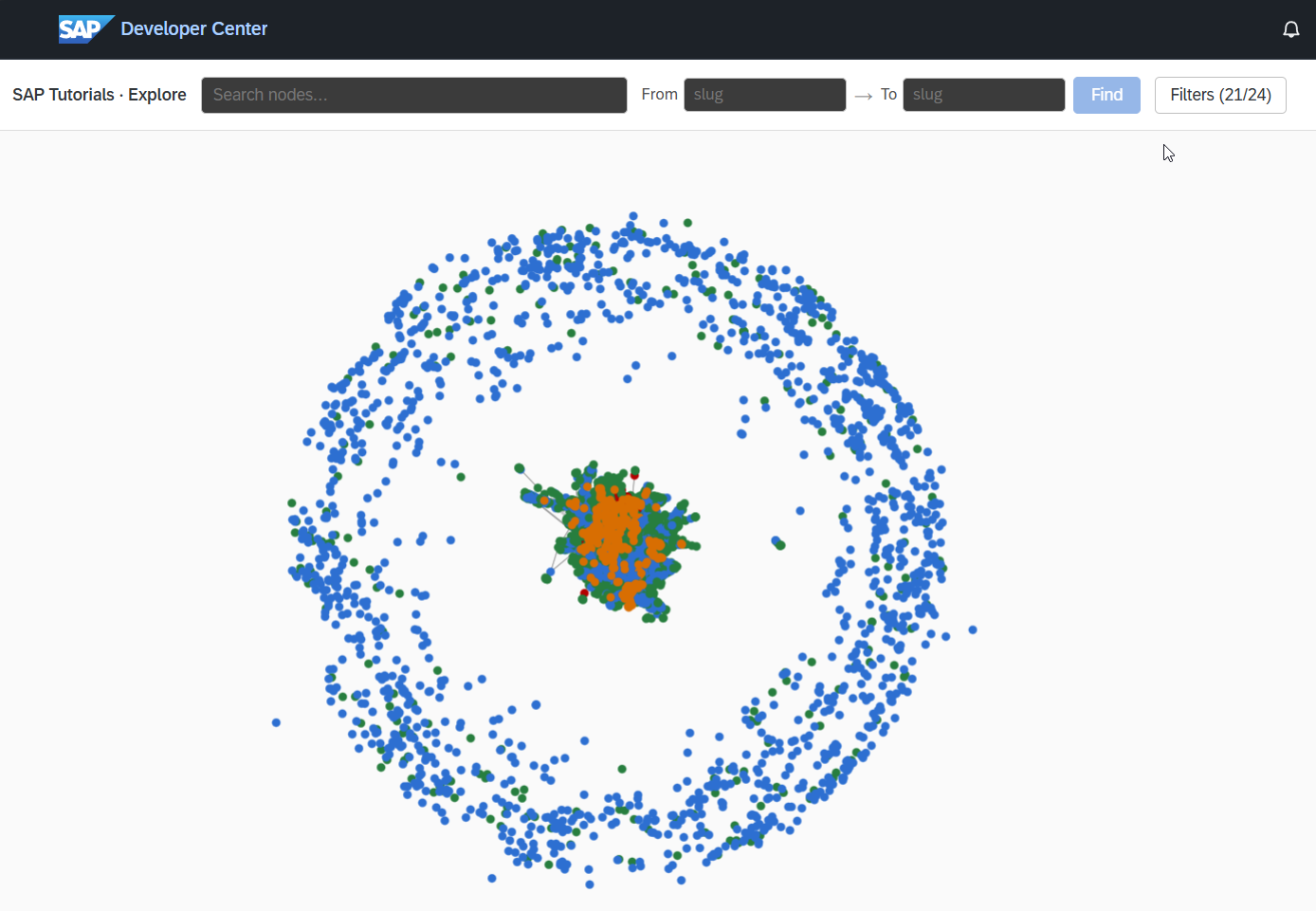
Live graph at /explore/
Force-directed interactive visualization of the whole graph. Search for a concept, click a node, follow the edges.
Open the live graph →
A live graph of the tutorials, missions, and concepts that make up developers.sap.com, built by AI and powered by SAP HANA Cloud.
Every night, a CAP cron job hands each tutorial's markdown to SAP AI Core. The model extracts concepts (e.g. CAP, SAPUI5, HANA Cloud) and the edges between them — what a tutorial teaches, what it requires. Those facts are stored as canonical CDS entities in SAP HANA Cloud, then projected into two of the database's built-in graph engines: the Knowledge Graph Engine, where SPARQL answers "what should I learn next?" in single-digit milliseconds, and a Property Graph workspace, where GraphScript algorithms (SHORTEST_PATH for Joule's learning paths, PageRank for authority ranking, Louvain for community detection, weakly-connected-components for isolation checks) run over the same tutorials and concepts. One database, two graph shapes, no ETL between them.
Tutorials are only the anchor corpus. Alongside them, nightly fetchers pull in the wider SAP developer ecosystem and run the same concept-extraction pipeline over every item, so a search for CAP or HANA Cloud reaches across all of it: Learning Journeys from learning.sap.com, blog posts from the SAP Community, Discovery Center missions and BTP services from discovery-center.cloud.sap, videos from the SAP Developers YouTube channel (including SAP Developer News and Tech Bytes), API references from the SAP Business Accelerator Hub, canonical code samples from the SAP-samples GitHub org, and upcoming community events (CodeJams, Devtoberfest, TechEd, user groups). A dedicated Help Docs corpus merges four documentation surfaces into one:
SAP/architecture-center.Every resource — tutorial, journey, blog post, mission, video, API, sample, help doc, event — lands on the same concept vocabulary, so the graph you explore is one graph across all of it, not a dozen siloed catalogs sitting next to each other.
Every tutorial in the sap-tutorials/* GitHub org. Edges: teaches Concept, requires Concept.
AI-extracted topics — CAP, SAPUI5, HANA Cloud, … Edges: requires Concept, relatedTo Concept.
Curated learning paths. Edges: containsTutorial.
RDF triple store; SPARQL via SYS.SPARQL_EXECUTE.
GraphScript algorithms — SHORTEST_PATH, PageRank, Louvain, WCC — over the same vertices & edges.
Embedding similarity. Powers concept consolidation.
Graph, vector, and relational data — one database, no ETL.
LLM extracts concepts from tutorial markdown nightly; a weekly consolidator merges near-duplicates.
Service layer, scheduler, and the cron jobs that build the graph.
The runtime.
All four HANA tiles run on the same SAP HANA Cloud instance — that's the multi-model story.
/explore/Force-directed interactive visualization of the whole graph. Search for a concept, click a node, follow the edges.
Open the live graph →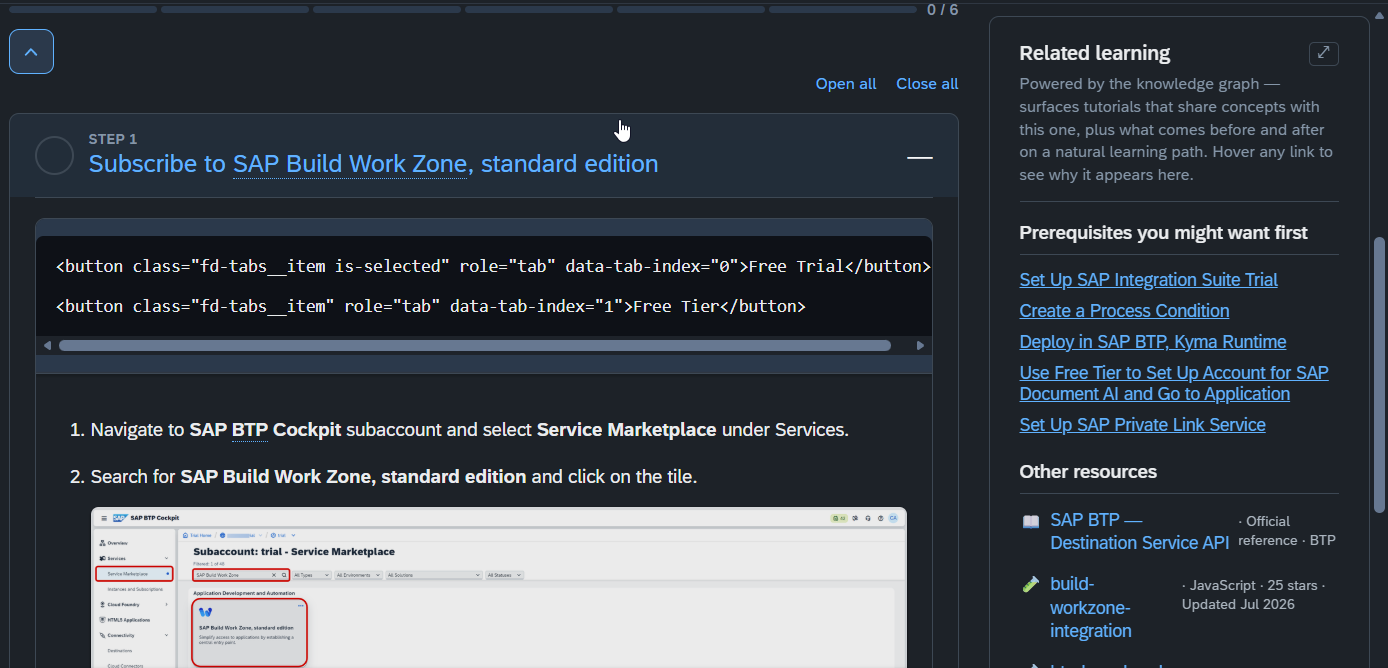
A sidebar surfaces prerequisites, related tutorials, and suggested next steps based on the concepts a tutorial teaches.
See it on a tutorial →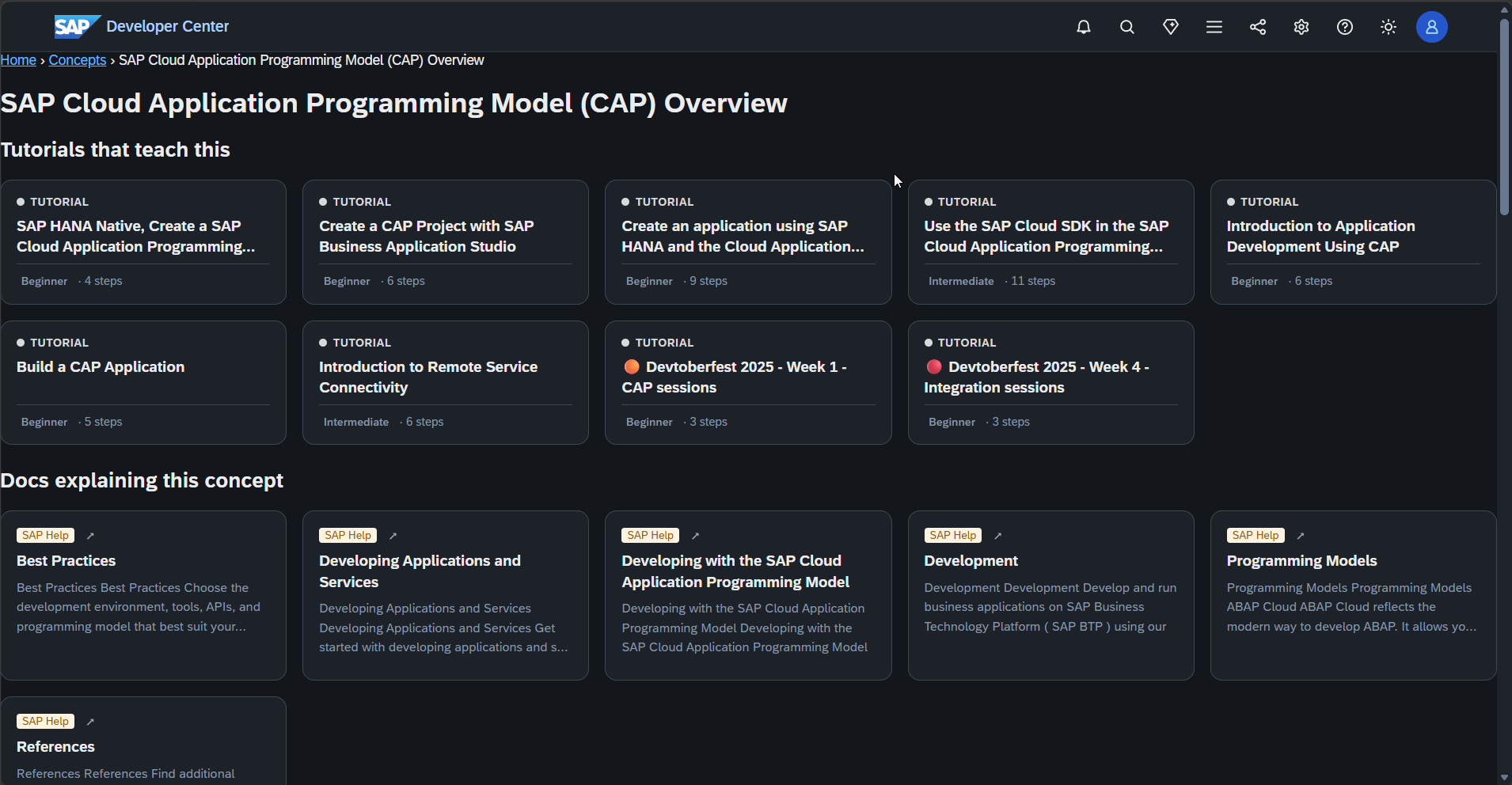
One page per concept — what it teaches, what requires it, what relates. Indexed by site search.
Browse concepts →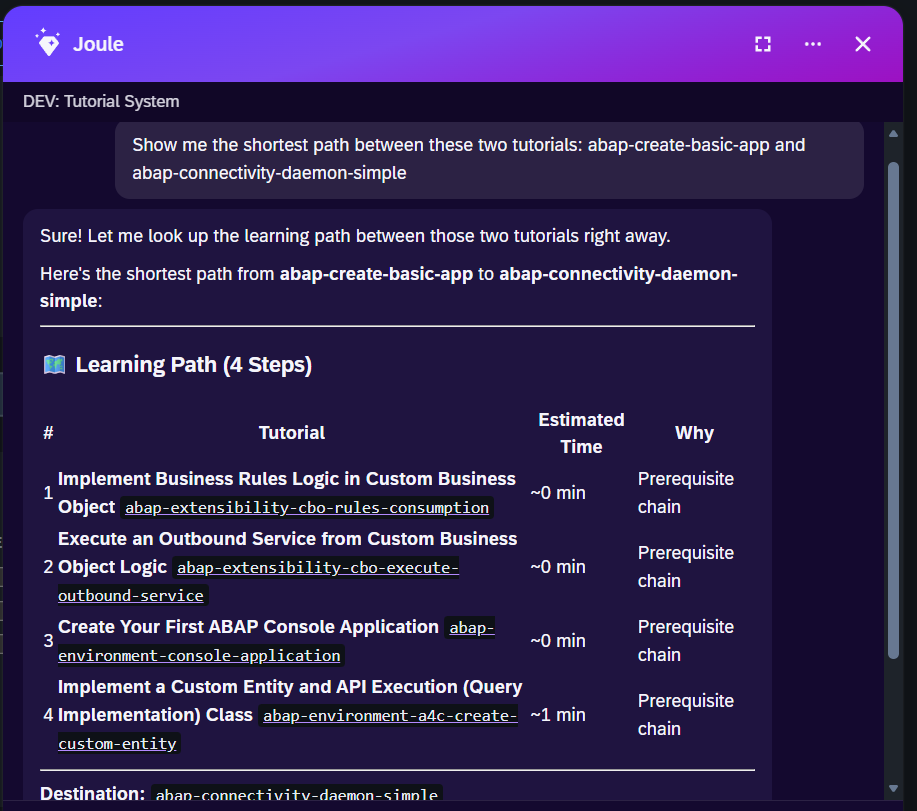
"Find me the shortest path between two tutorials." Joule queries the graph and returns the steps.
Ask Joule →Joule is an AI assistant. Generative AI may produce inaccurate, incomplete, or biased information. Always verify important details before acting on them.
Conversations are sent to SAP-hosted large language models for processing. Do not include personal data, credentials, or confidential information in your messages.
Joule's responses are based on the SAP tutorial catalog and may not reflect the latest product changes. For authoritative guidance, consult the linked tutorials and official SAP documentation.