
Create Authorization Model and App in SAP BTP, ABAP Environment
Create IAM Apps, services and catalogs for authorization model in the SAP BTP, ABAP environment.
Overview
You will learn
- How to create authorization fields
- How to create access controls
- How to edit authorization default values
- How to create IAM Apps and services
- How to create restriction fields and restriction types
- How to create business catalogs
- How to create restriction types


Prerequisites
Prerequisites
- You need a SAP BTP, ABAP environment license.
- ADT version 2.96 or higher
Steps
Intro
In this tutorial, wherever XXX appears, use a number (e.g. 000).
Right-click on
Z_ROOM_XXX, select the menu path New > Other ABAP Repository Object.
Create authorization field Search for Authorization Field, select it and click Next>.

Create authorization field Create your authorization field:
- Name:
Z_LOCAFXXX
Click Next>.

Create authorization field - Name:
Click Finish.

Create authorization field Edit your authorization field:
- Data Element:
Z_LOCA_DTEL_XXX
Save and activate.

Create authorization field - Data Element:
Right-click on
Z_ROOM_XXX, select the menu path New > Other ABAP Repository Object.
Create authorization object Search for Authorization Object, select it and click Next>.

Create authorization object Create your authorization object:
- Name:
Z_LOCAOXXX - Description:
Location
Click Next>.

Create authorization object - Name:
Click Finish.

Create authorization object Edit your authorization object and save it. The description and access category will appear then.

Create authorization object Save and activate.
Right-click on
Z_ROOM_XXX, select the menu path New > Other ABAP Repository Object.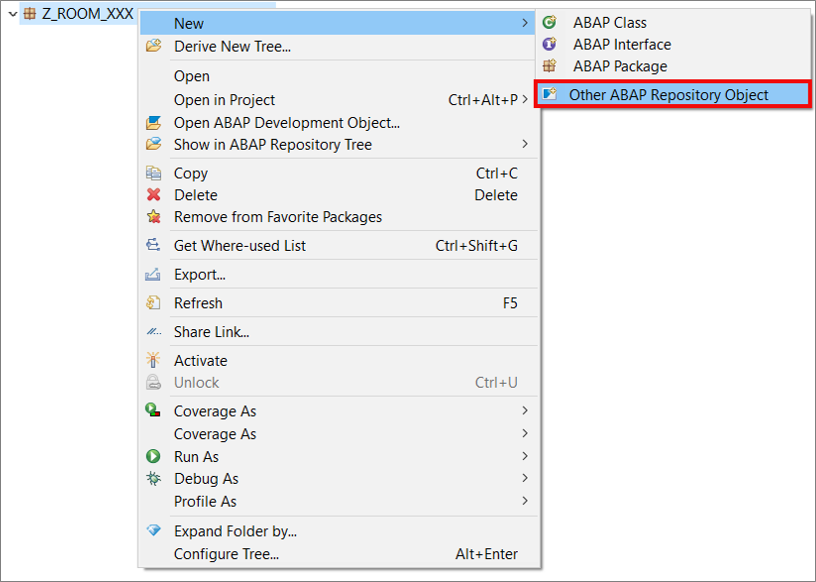
Create Access Control Search for Access Control, select it and click Next>.

Create Access Control Create your access control: - Name:
Z_I_ROOM_XXX- Description:Room
Click **Next>**.
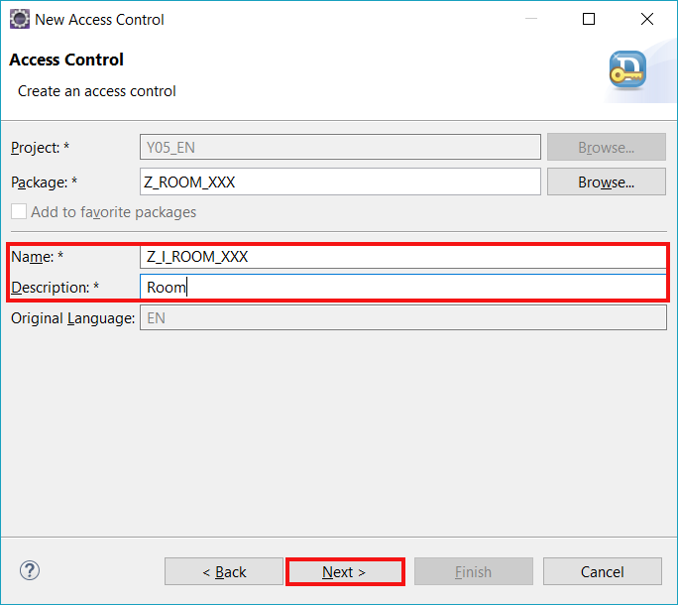
Click Next>.
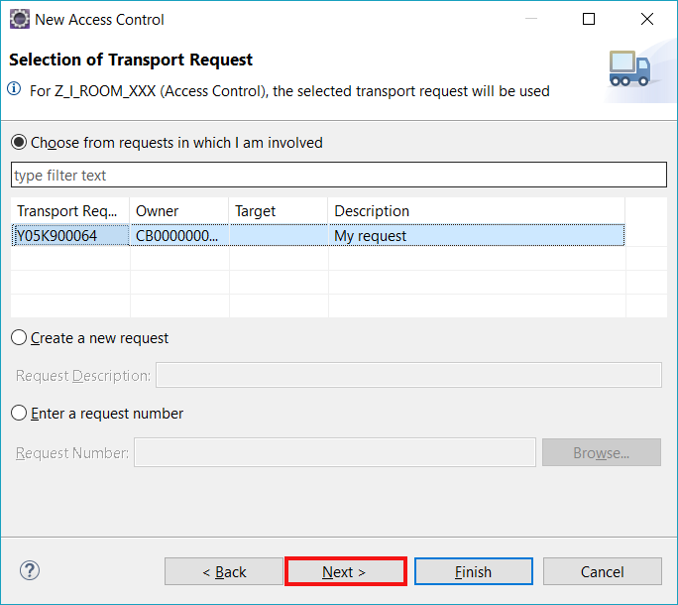
Create Access Control Select Define Role with PFCG Aspect and click Finish.
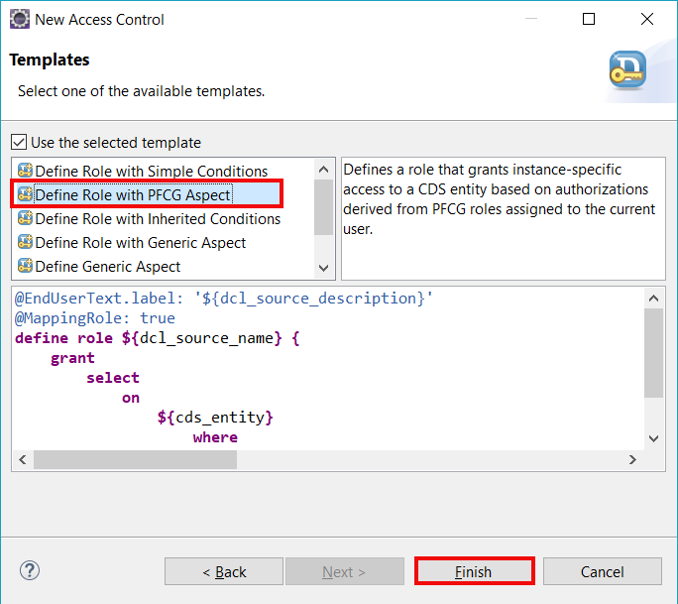
Create Access Control Edit your service definition:
ABAP @EndUserText.label: 'Room' @MappingRole: true define role Z_I_Room_XXX { grant select on Z_I_ROOM_XXX where (location) = aspect pfcg_auth(Z_LOCAOXXX, Z_LOCAFXXX, ACTVT = '03'); }Save and activate.
Switch to your behavior implementation, click CTRL + F and search for method validate. Edit following as your validate method.
     METHOD validate.
        AUTHORITY-CHECK OBJECT 'Z_LOCAOXXX' ID 'ACTVT' FIELD iv_action ID 'Z_LOCAFXXX' FIELD is_room-location.
        IF sy-subrc <> 0.
          rv_message = 'Not authorized'.
        ENDIF.
    ENDMETHOD.
Save and activate.
Select your service binding
Z_I_ROOM_BND_XXXand click Default Authorization Values.
Edit authorization default values Define following objects:

Edit authorization default values Save and activate.
Right-click on
Z_ROOM_XXX, select the menu path New > Other ABAP Repository Object.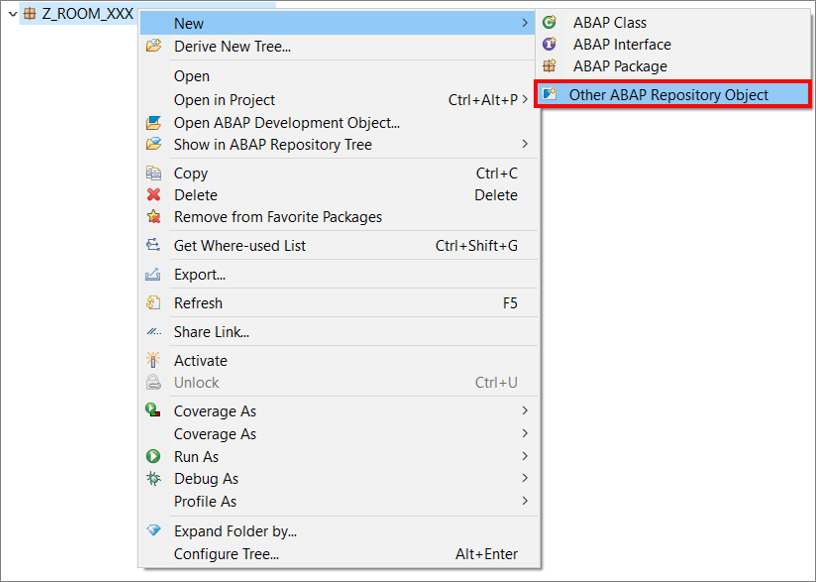
Create Access Control Search for IAM App, select it and click Next>.
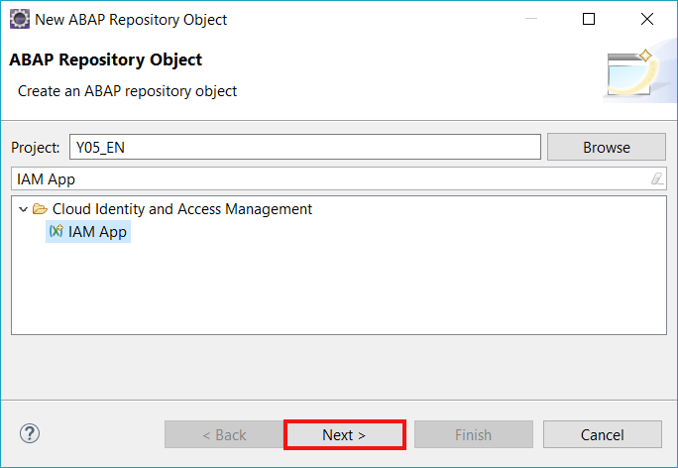
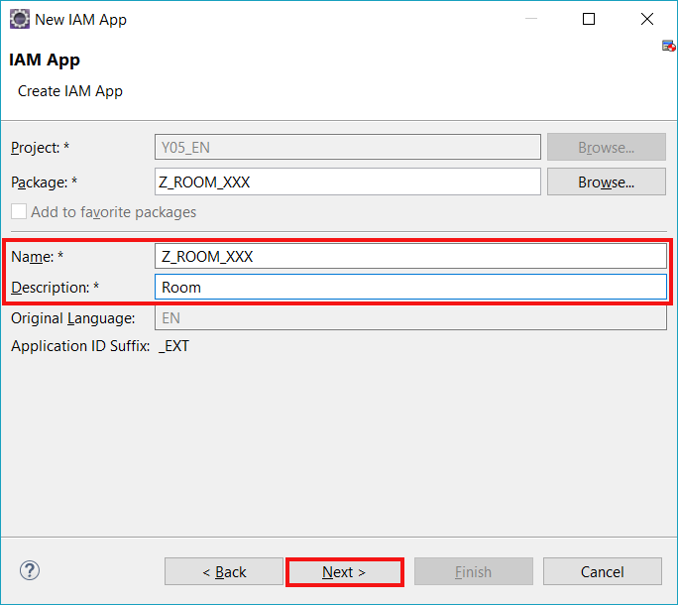
Create Access Control Create your IAM App: - Name:
Z_ROOM_XXX- Description:Room
Click **Next>**.
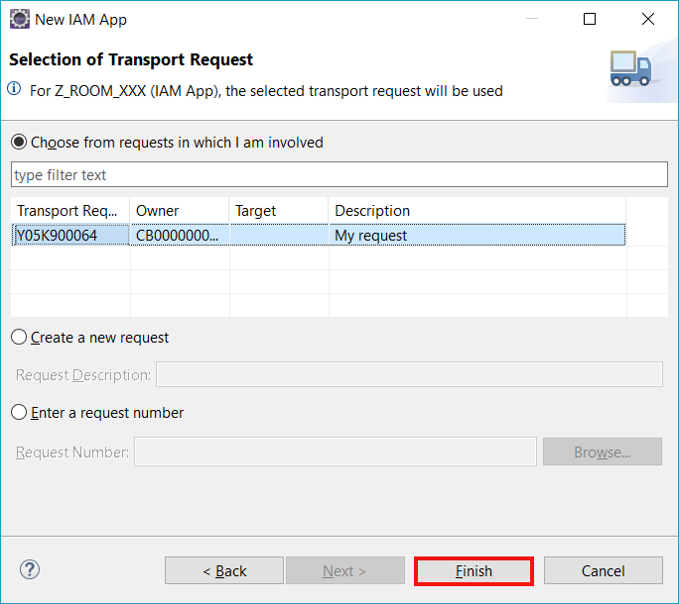
Click Finish.
Create Access Control Select Services.

Create Access Control Add new services.

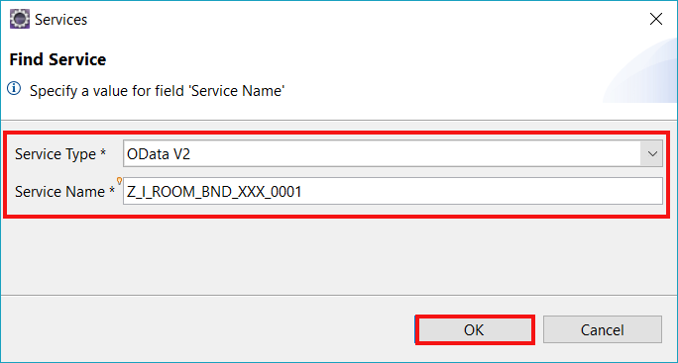
Create Access Control Find your service: - Service Type:
OData V2- Service Name:Z_I_ROOM_BND_XXX_0001
Add `_0001` to your service name to find it.
Click **OK**.
Click Authorizations.

Create Access Control Select following activity. Therefore select
Z_LOCAOXXXfirst and then type your instances and then the activity.
Create Access Control Save and activate.
Right-click on your package
Z_ROOM_XXXand select New > Other ABAP Repository Object.
Create restriction field and restriction type Search for restriction field, select it and click Next >.
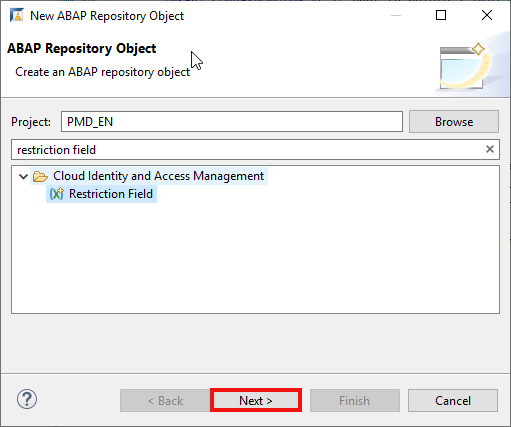
Create your restriction field: - Name:
Z_LOC_RF_XXX- Description: Restriction field
Create restriction field and restriction type
Click **Next >**.
- Click Finish.
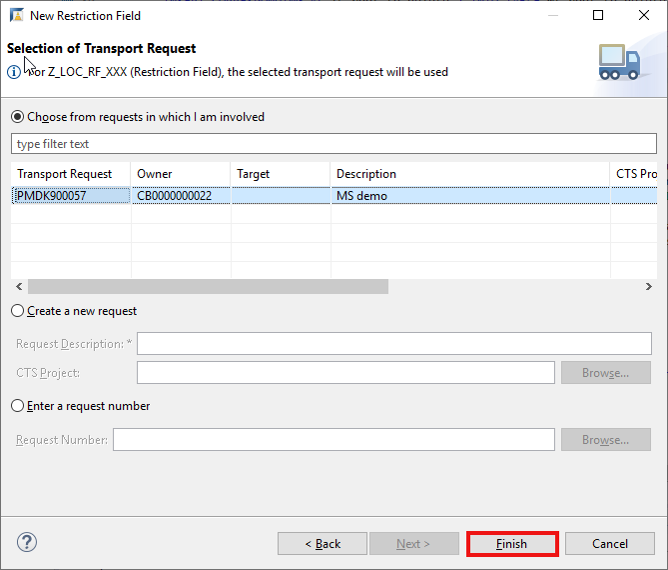
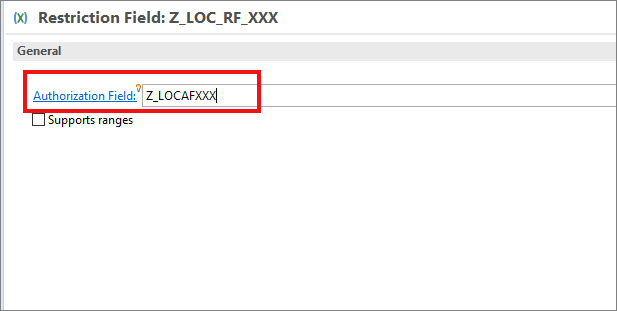
- Add
Z_LOCAFXXXas authorization field, save and activate.
- Right-click on your package
Z_ROOM_XXXand select New > Other ABAP Repository Object.
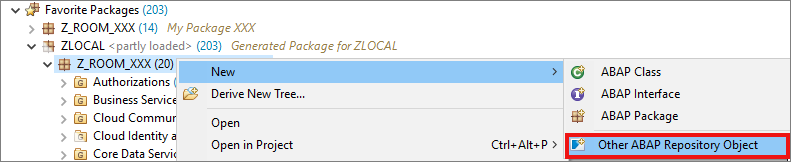
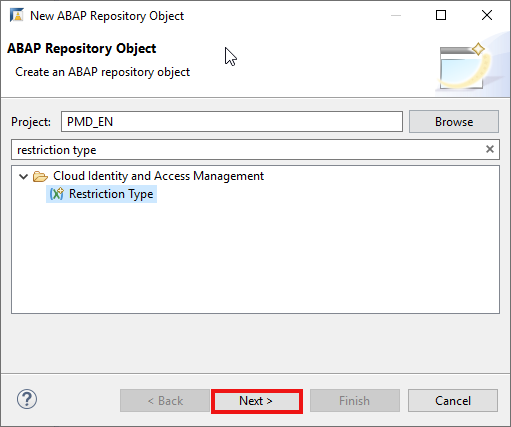
- Search for restriction type, select it and click Next >.
- Create your restriction field:
- Name:
Z_LOC_RT_XXX- Description: Restriction type for location
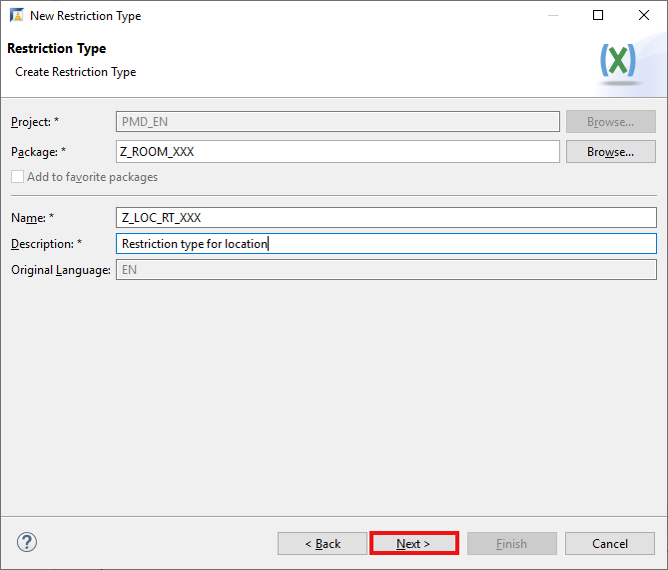
Click **Next >**.
- Click Finish.
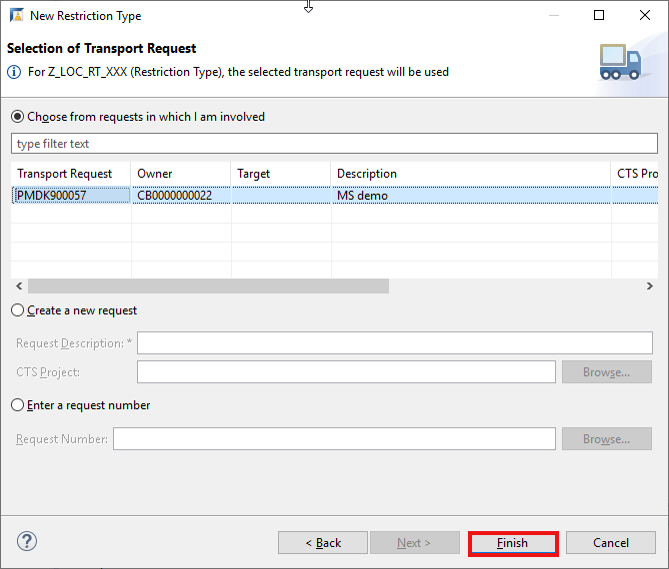
- Add
Z_LOC_RF_XXXas restriction field ANDZ_LOCAOXXXas restriction object.
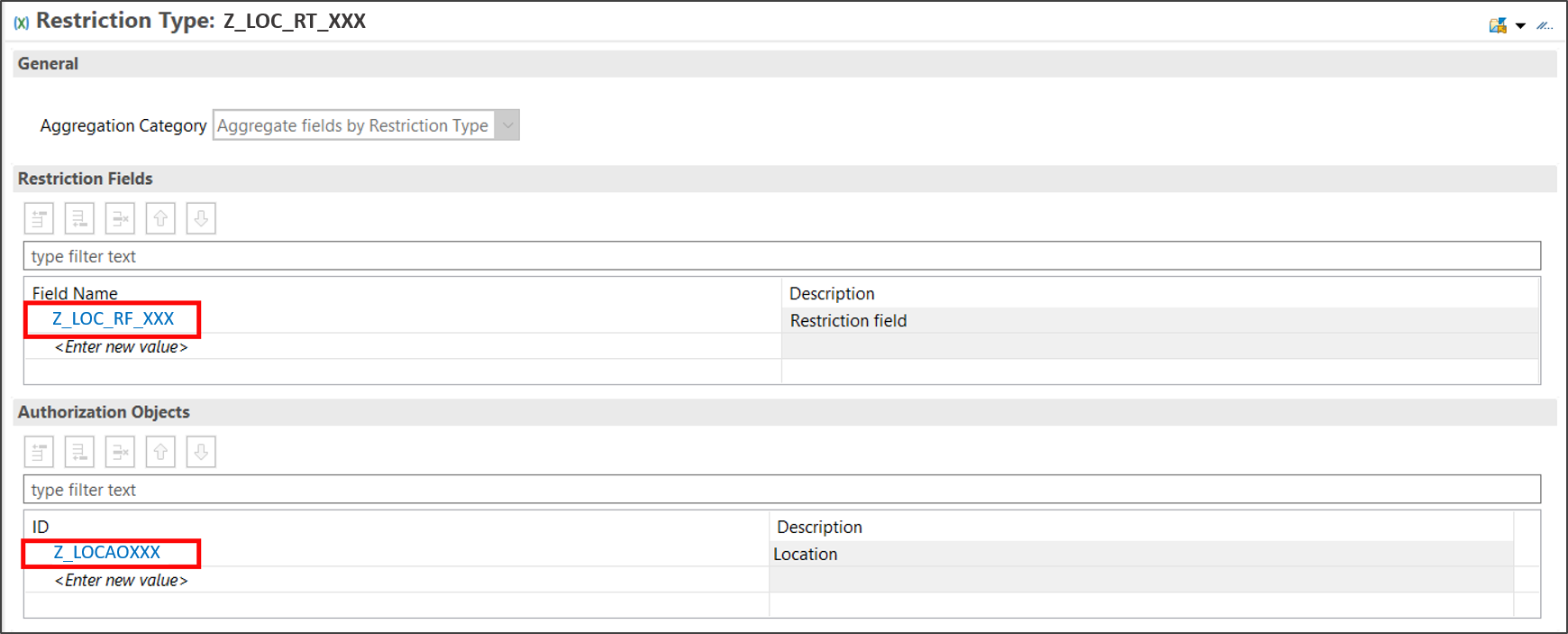
Save and activate.
Right-click on
Z_ROOM_XXX, select the menu path New > Other ABAP Repository Object.
Create Access Control Search for Business Catalog, select it and click Next>.

Create Access Control Create your business catalog: - Name:
Z_ROOM_BC_XXX- Description:Room
Click **Next>**.
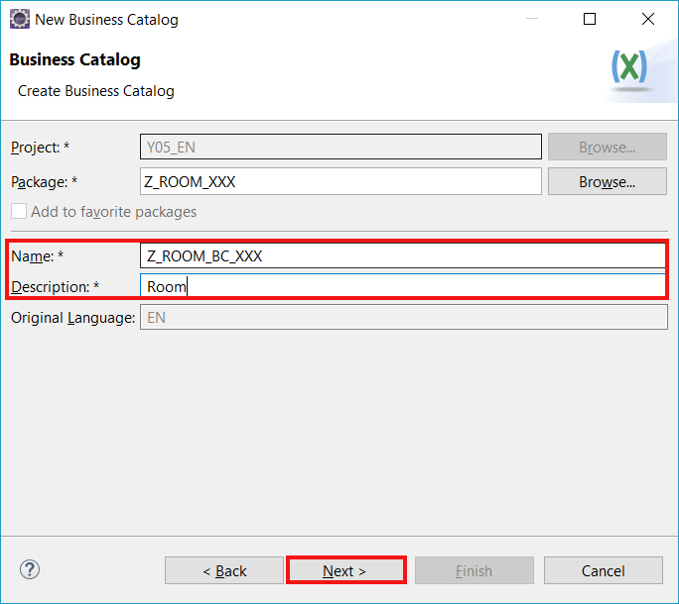
Click Finish.

Create Access Control Select Apps.

Create Access Control Add new Apps.

Create Access Control Add your App: - App ID:
Z_ROOM_XXX_EXT- Assignment ID:Z_ROOM_BC_XXX_0001
Click **Next>**.
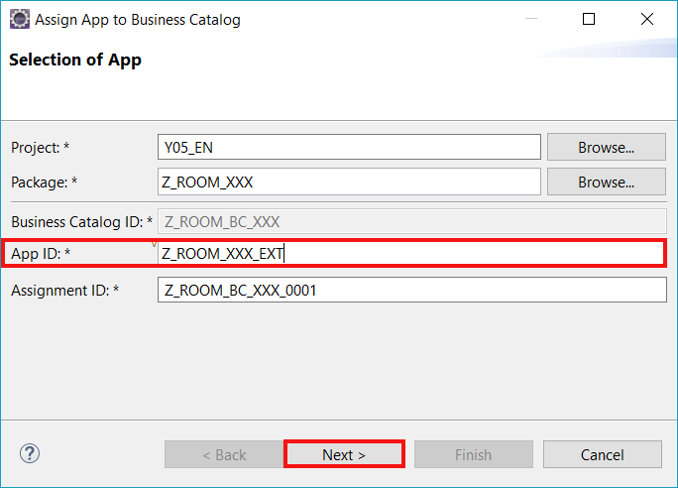
Click Finish.

Create Access Control Click Publish Locally

Create Access Control
Open your business catalog Z_ROOM_BC_XXX, add Z_LOC_RT_XXX as a restriction type, select write and click Publish Locally.

Resources
Discussion
Share feedback on this tutorial or join the conversation in SAP Community.