
Overview
You will learn
- How to create and debug a Java application that connects to and queries a data lake Relational Engine database


Prerequisites
Prerequisites
- You have completed the first tutorial in this group.
Steps
Intro
Java Database Connectivity (JDBC) provides an API for accessing databases from Java. An application written to the JDBC standard can be ported to other databases. Database vendors provide JDBC drivers for their database products. Further details of the SAP JDBC driver can be found at JDBC Driver.
Ensure that you have a Java Development Kit (JDK) installed and make sure it is accessible from your path.
You should already have the SAP Java Virtual Machine (JVM) installed after completing the SAP HANA Cloud, Data Lake Client Interfaces Overview prerequisite tutorial.
If not, you can download an OpenJDK from at SapMachine.
To verify that the JDK is correctly set up, run the following:
java -version
javac -version
If these commands fail, ensure that the folder they are located in is included in your path.
For Linux, the following command will install Java on openSUSE Leap 15.4.
sudo zypper install java-11-openjdk-develThe data lake Relational Engine JDBC driver is a type 2 driver, which means it has a native (non-Java) component. For additional details see Type 2 driver – Native-API driver. The driver is located in %HDL_CLIENT_HOME%\java\sajdbc4.jar on Microsoft Windows and $HDL_CLIENT_HOME/java/sajdbc4.jar on Linux. The native component is at %HDL_CLIENT_HOME%\Bin64\dbjdbc17.dll on Microsoft Windows and $HDL_CLIENT_HOME\lib64\libdbjdbc17.so on Linux.
See data lake Relational Engine JDBC driver for additional details.
The following commands create a folder named
java, enter the newly created directory, create a file namedJavaQuery.java, and open the file in notepad.The HOMEPATH environment variable should resolve to your user in your user’s folder such as c:\users\dan. Its value can be seen on Microsoft Windows by entering echo %HOMEPATH% into a shell.
Shellmkdir %HOMEPATH%\DataLakeClientsTutorial\java cd %HOMEPATH%\DataLakeClientsTutorial\java notepad JavaQuery.javaShellmkdir -p ~/DataLakeClientsTutorial/java cd ~/DataLakeClientsTutorial/java pico JavaQuery.javaCopy the following code into
JavaQuery.java. Update thehostvalue in the connection string.Javaimport java.sql.*; public class JavaQuery { public static void main(String[] argv) { Connection connection = null; try { //Option 1 connection = DriverManager.getConnection("jdbc:sqlanywhere:uid=USER1;pwd=Password1;Host=XXXXXXXX-XXXX-XXXX-XXXX-XXXXXXXXXXX.iq.hdl.trial-XXXX.hanacloud.ondemand.com:443;ENC='TLS{tls_type=rsa;direct=yes}'"); //Option 2, the connection properties can be loaded from an ODBC datasource. //connection = DriverManager.getConnection("jdbc:sqlanywhere:DSN=HC_HDL_Trial;LOG=myLog.log"); //The LOG option is helpful when diagnosing connection issues. } catch (SQLException e) { System.err.println("Connection Failed:"); System.err.println(e); return; } if (connection != null) { try { System.out.println("Connection to data lake Relational Engine successful!"); Statement stmt = connection.createStatement(); ResultSet resultSet = stmt.executeQuery("SELECT TITLE, FIRSTNAME, NAME FROM HOTELS.CUSTOMER;"); while (resultSet.next()) { String title = resultSet.getString(1); String firstName = resultSet.getString(2); String lastName = resultSet.getString(3); System.out.println(title + " " + firstName + " " + lastName); } } catch (SQLException e) { System.err.println("Query failed!"); } } } }Save and close
JavaQuery.java. On Microsoft Windows, ensure that you are using the command prompt to run the following.Compile the
.javafile into a.classfile using the following command:Shelljavac -cp %HDL_CLIENT_HOME%\Java\sajdbc4.jar;. JavaQuery.javaShelljavac -cp $HDL_CLIENT_HOME/java/sajdbc4.jar:. JavaQuery.javaRun
JavaQuery.classand indicate where the JDBC driver is located.Shelljava -classpath %HDL_CLIENT_HOME%\Java\sajdbc4.jar;. JavaQueryShelljava -classpath $HDL_CLIENT_HOME/java/sajdbc4.jar:. JavaQuery
Java query
See JDBC Program Structure for additional details.
Visual Studio Code can run and debug a Java application. It is a lightweight but powerful source code editor available on Microsoft Windows, macOS, and Linux.
If required, Download Visual Studio Code.
In Visual Studio Code, choose File | Open Folder and then add the
DataLakeClientsTutorialfolder.
Workspace Open the file
JavaQuery.java, and if asked, install the recommended extensions.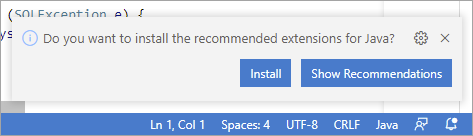
Java extensions Once the Java Extension Pack has been installed, expand the Java Project Explorer, and click on the + icon to add the JDBC driver as a referenced library.

Referenced libraries The JDBC driver is located at
%HDL_CLIENT_HOME%\Java\sajdbc4.jaron Microsoft Windows and$HDL_CLIENT_HOME/java/sajdbc4.jaron Linux.Place a breakpoint and then select Run | Start Debugging.
Notice that the debug view becomes active.
Notice that the program stops running at the breakpoint that was set. Step through the code by pressing F10 and observe the variable values in the variables pane.

Visual Studio Code debugging
Congratulations! You have now created and debugged a Java application that connects to and queries a data lake Relational Engine database.
Resources
Discussion
Share feedback on this tutorial or join the conversation in SAP Community.