
Overview
You will learn
- How to create a scalar UDF for generating a full name from the last, first and middle name of the employee


Prerequisites
Prerequisites
- This tutorial is designed for SAP HANA Cloud.
- Tutorials: Intermediate Table Variables
Steps
Right click on the
srcfolder and choose New Folder.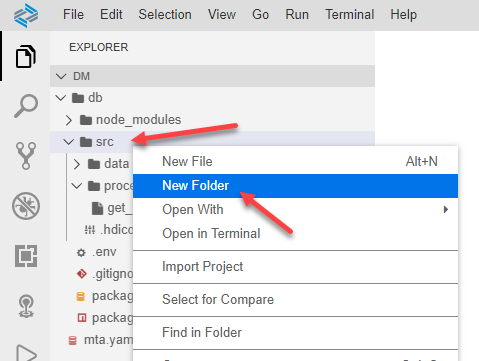
New Folder Enter the name of the folder as
functionsand click OK.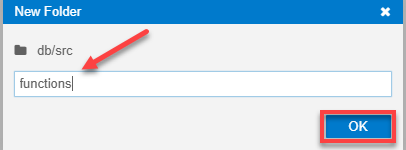
Create Folder Click View then Find Command...
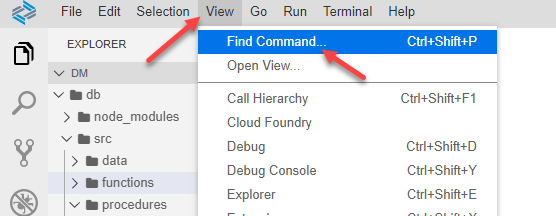
Find Command Enter
hanaas the search term, then click on SAP HANA: Create SAP HANA Database Artifact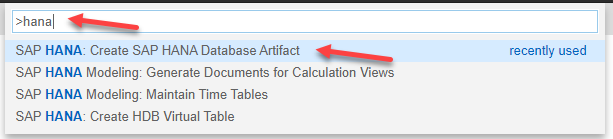
HANA Archifact Click the Browse icon.
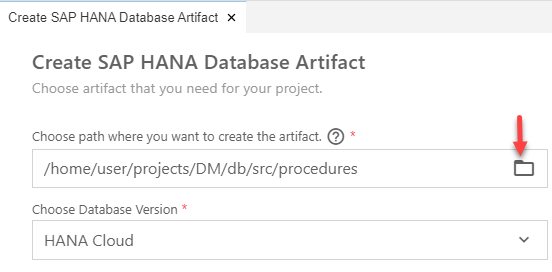
Browse Select the
functionsfolder that you created earlier, then click Open.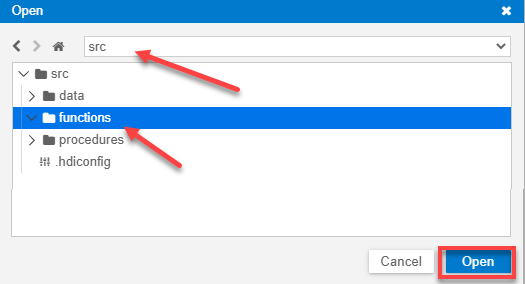
Select Function Use the dropdown, and select Function as the Artifact Type. Give the name of the artifact as
get_full_name, then click Create.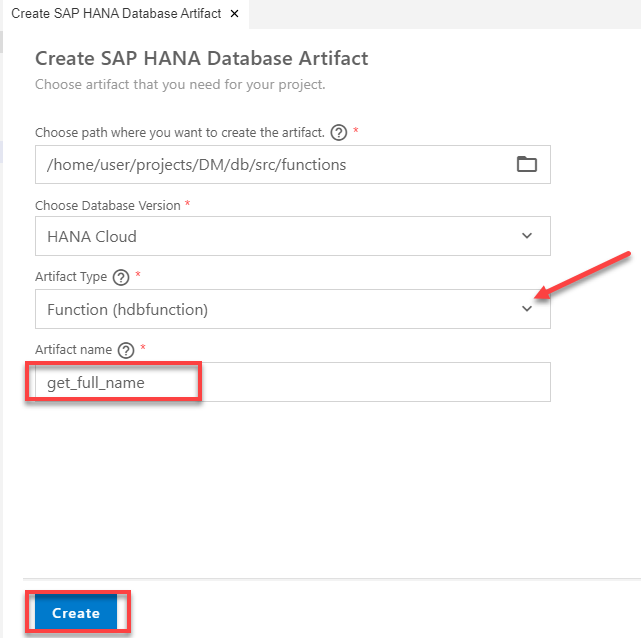
Artifact Type You will see a message saying that the new artifact as been created. From the functions folder, click on your new function. The SQLScript function editor will then be opened with the shell of your function code.
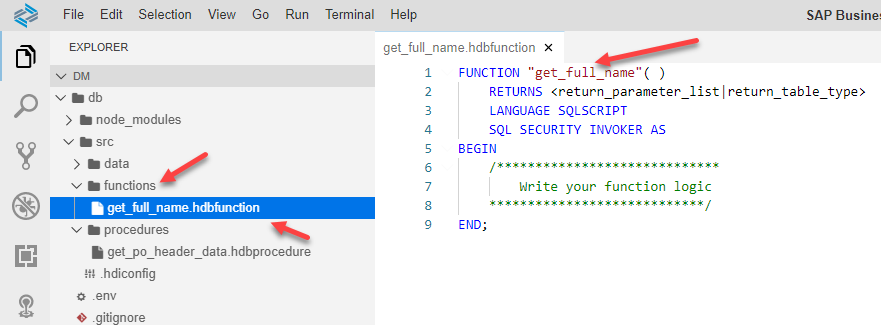
Editor
Enter the code into the editor as shown here. Please note the default for parameter
im_employeeidwhich makes assigning a value to the parameter optional.SQLScriptFUNCTION "get_full_name" ( IN im_firstname NVARCHAR(40) , IN im_middlename NVARCHAR(40), IN im_lastname NVARCHAR(40), IN im_employeeid NVARCHAR(10) DEFAULT '' ) RETURNS ex_fullname NVARCHAR(256) AS BEGIN if :im_middlename IS NULL THEN ex_fullname = :im_lastname || ', ' || :im_firstname; ELSE ex_fullname = :im_lastname || ', ' || :im_firstname || ' ' || :im_middlename; END IF; IF :im_employeeid <> '' then ex_fullname = :ex_fullname || '(' || :im_employeeid || ')'; END IF; END;Save the function.
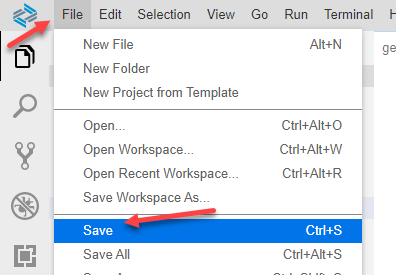
save
Return to your procedure called
get_po_header_dataand modify it. Start by renaming theLOGINNAMEcolumn of the output table toFULLNAME. Also change the output length to 256. This is needed to match later on which the anticipated output structure.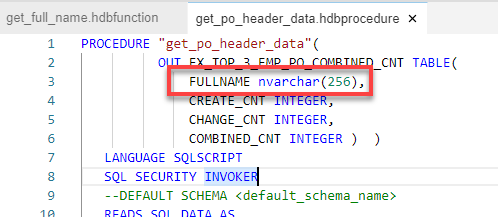
rename Change the last SELECT statement. Remove the
LOGINNAMEcolumn from the field list and replace it with a call to the scalar function that you created earlier. Make sure to pass theNAMEFIRST,NAMEMIDDLEandNAMELASTname columns to the scalar function call.
Change select The completed code should look very similar to this.
SQLScriptPROCEDURE "get_po_header_data"( OUT EX_TOP_3_EMP_PO_COMBINED_CNT TABLE( FULLNAME nvarchar(256), CREATE_CNT INTEGER, CHANGE_CNT INTEGER, COMBINED_CNT INTEGER ) ) LANGUAGE SQLSCRIPT SQL SECURITY INVOKER --DEFAULT SCHEMA <default_schema_name> READS SQL DATA AS BEGIN po_create_cnt = SELECT COUNT(*) AS CREATE_CNT, "CREATEDBY" as EID FROM "OPENSAP_PURCHASEORDER_HEADERS" WHERE ID IN ( SELECT "POHEADER_ID" FROM "OPENSAP_PURCHASEORDER_ITEMS" WHERE "PRODUCT_PRODUCTID" IS NOT NULL) GROUP BY "CREATEDBY"; po_change_cnt = SELECT COUNT(*) AS CHANGE_CNT, "MODIFIEDBY" as EID FROM "OPENSAP_PURCHASEORDER_HEADERS" WHERE ID IN ( SELECT "POHEADER_ID" FROM "OPENSAP_PURCHASEORDER_ITEMS" WHERE "PRODUCT_PRODUCTID" IS NOT NULL) GROUP BY "MODIFIEDBY"; EX_TOP_3_EMP_PO_COMBINED_CNT = SELECT "get_full_name"( "NAMEFIRST", "NAMEMIDDLE", "NAMELAST") as FULLNAME, crcnt.CREATE_CNT, chcnt.CHANGE_CNT, crcnt.CREATE_CNT + chcnt.CHANGE_CNT AS COMBINED_CNT FROM "OPENSAP_MD_EMPLOYEES" as emp LEFT OUTER JOIN :PO_CREATE_CNT AS crcnt ON emp.email = crcnt.EID LEFT OUTER JOIN :PO_CHANGE_CNT AS chcnt ON emp.email = chcnt.EID ORDER BY COMBINED_CNT DESC LIMIT 3; ENDSave the procedure.
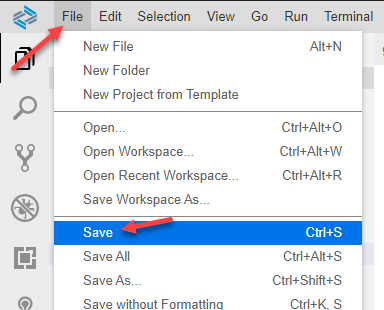
save
Use what you have learned already and perform a deploy.
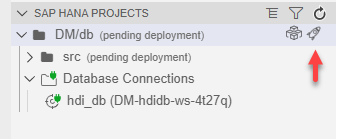
deploy Then return to the Database Explorer and generate a new CALL statement and run it. Notice the
FULLNAMEcolumn, it shows the results of the scalarUDFlogic.
Results
Resources
Discussion
Share feedback on this tutorial or join the conversation in SAP Community.