
Overview
You will learn
- to discover APIs in SAP Business Accelerator Hub
- to download Open API specification
- to create action project based on the API specification
- to configure API methods to update title, input and output fields and their description to improve readability for business users
- to test API using destination option
- to release and publish action project to be consumed in the business process modelling


Prerequisites
Prerequisites
- Access to a SAP BTP tenant with SAP Build Process Automation
- S/4HANA Cloud system where Sales Order business module is available
- A communication user to access S/4HANA Sales Order inbound services based on
SAP_COM_0109communication scenario ID
Steps
Intro
Action is a feature in SAP Build Process Automation to connect processes with external systems, be it SAP or non-SAP systems. This is an important piece of the puzzle especially if you want to automate or extend your business processes for any available LoB processes like S/4HANA, Ariba, SuccessFactors etc. These extensions can be easily build using SAP Build Process Automation, and using actions you can connect to your given S/4HANA, Ariba or other SAP LoB systems for any kind of GET, POST, PATCH and other calls.
In this tutorial, you will create an action project based on Sales Order API. The Sales Order (A2X) API is already available in Business Accelerator Hub. For this workshop you will leverage Sales Order Header - POST API which will be used to create a sales order in S/4HANA Cloud system after the approval is done.
The same scenario can be used for posting an invoice to the S/4HANA system after approval from business process or getting the employee details from SuccessFactors system for off-boarding process or updating purchase requisition details for the changes in the order in Ariba system or getting asset details from Asset Management system before sending it for approval for asset depreciation. There are many such real-world examples where you can use action concept to create, fetch or update the data in the backend system based on the process outcomes (approval, validation etc.)
- Download and extract Open API Specification zip file for Sales Order (A2X) API in your local file system.
Open API specification of 2.x or 3.x or higher is needed for creating action project. For APIs that are available in SAP Business Accelerator Hub, you can directly download the specification from the API overview section. For example: The API specification that will be used for sales order creation in this exercise is downloaded from here.
Open SAP Build Lobby with your username and password, then do the following:
- Under Connectors, select Actions.

Action Project Choose Create.

Action Project In the Choose an API Source popup, under API Specification, select Upload API Specification.

Action Project Drag and drop or click Browse Files to upload open specification file downloaded in step above.
Choose Next.

Action Project In the Create an Action project popup, do the following:
- Enter the Project Name as Sales Order.
- Enter the Description as API to create sales order in S/4HANA cloud system.
- Click Create.
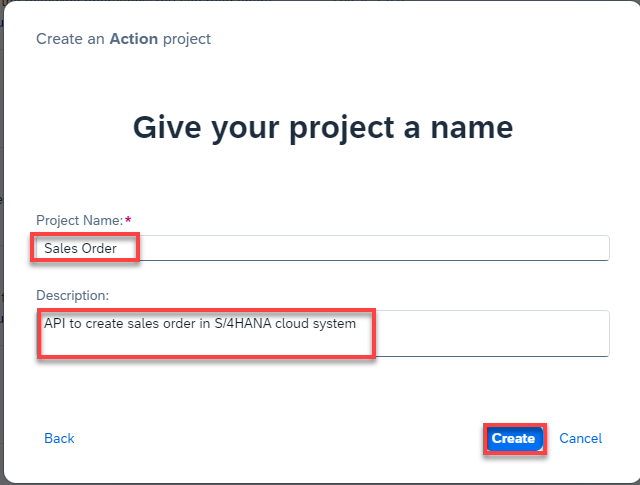
Action Project Wait until the action project gets created.
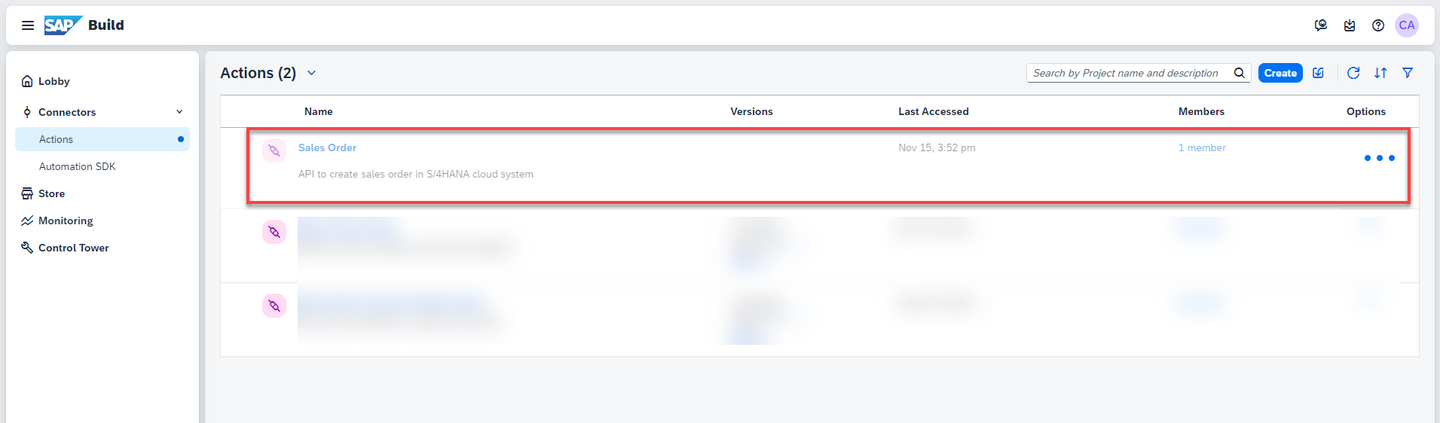
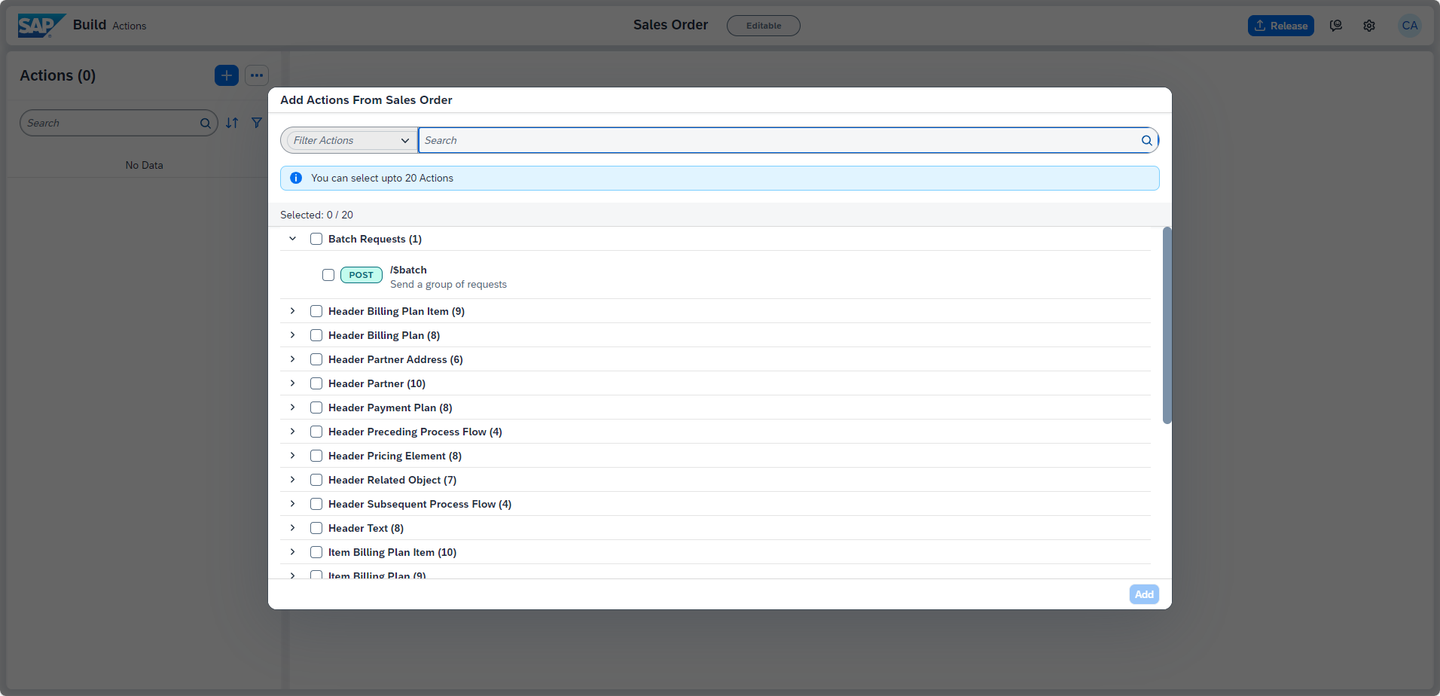
Action Project As soon as the Sales Order Action gets created, SAP Build Actions will automatically open and the Add Actions From Sales Order pop up will appear.
Action Project
In the popup, you have to select POST method of
/A_SalesOrderAPI. You can either directly search from the given list of APIs or follow the steps below:- Select filter option.

Action Project - Select POST.

Action Project From the filtered list of APIs, choose Sales Order Header and select POST option for
/A_SalesOrderAPI.Click Add.

Action Project SAP Build Actions will open with the selected APIs which can be further configured based on the requirements:
- To update the project name, click on the pencil icon next to the project name.
This action project name will help you search your action project from your API list, once published in action repository.

Action Project - Change the name to Creates a sales order in S/4HANA cloud system.
- Once done, select Update to submit the changes.

Action Project Now, you will update the input/output fields of the action project to keep only the mandatory fields that are needed to create the sales order. To select the Input fields, do the following:
- Under Body, sort Key in ascending order by clicking on the key column and select the Sort Ascending option.

Action Project - Select all the fields by clicking on the checkbox of Key column.
- Uncheck the following fields so that they are added as Input.
Keys selected as Input DistributionChannelOrganizationDivisionPurchaseOrderByCustomerSalesOrderTypeSalesOrganizationSoldToParty- Click on Remove to delete rest of the unwanted fields.

Action Project - In the confirmation popup, click Remove.
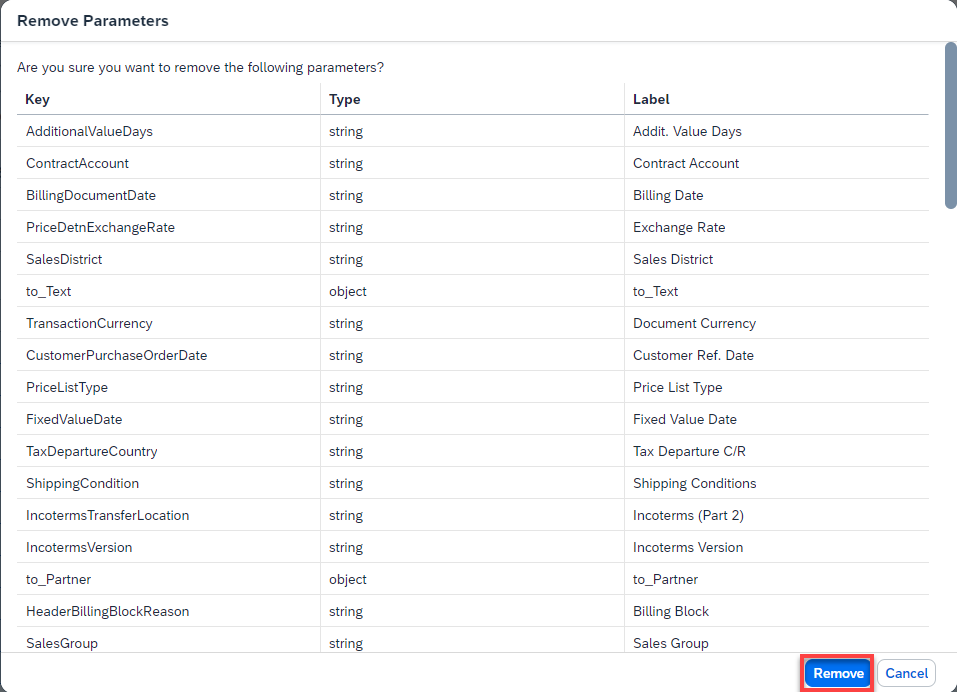
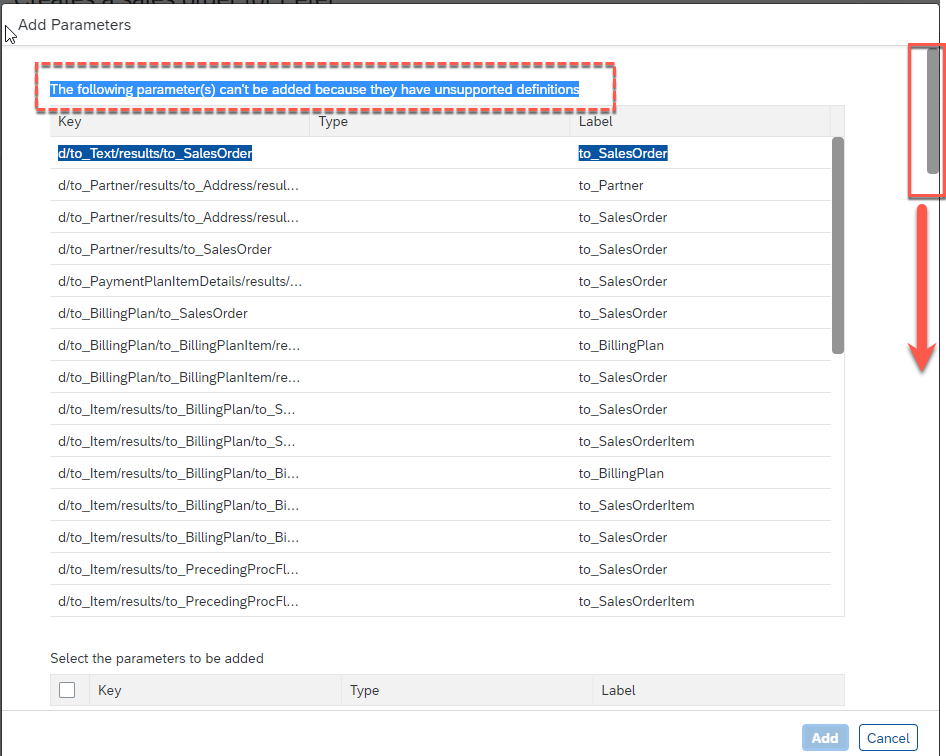
Action Project If you get message like The following parameter(s) can’t be added because they have unsupported definition in the pop up then scroll down to add the individual attributes.
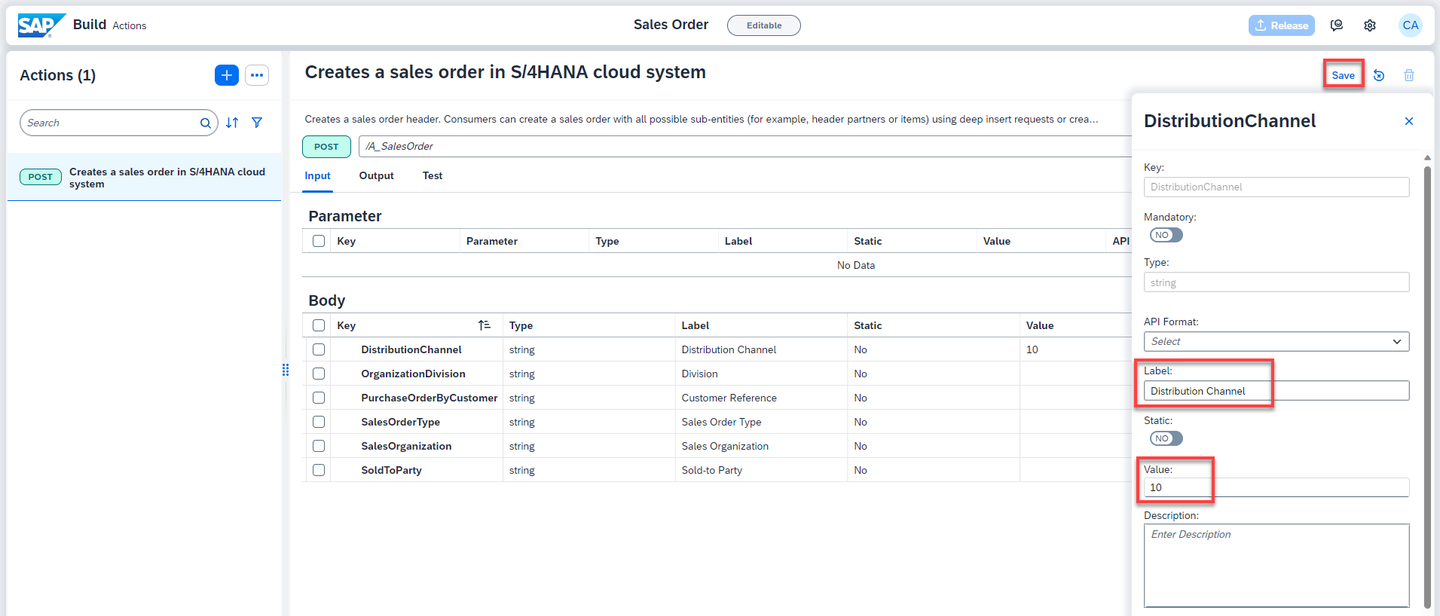
Action Project - Enter the default value for each of the input fields.
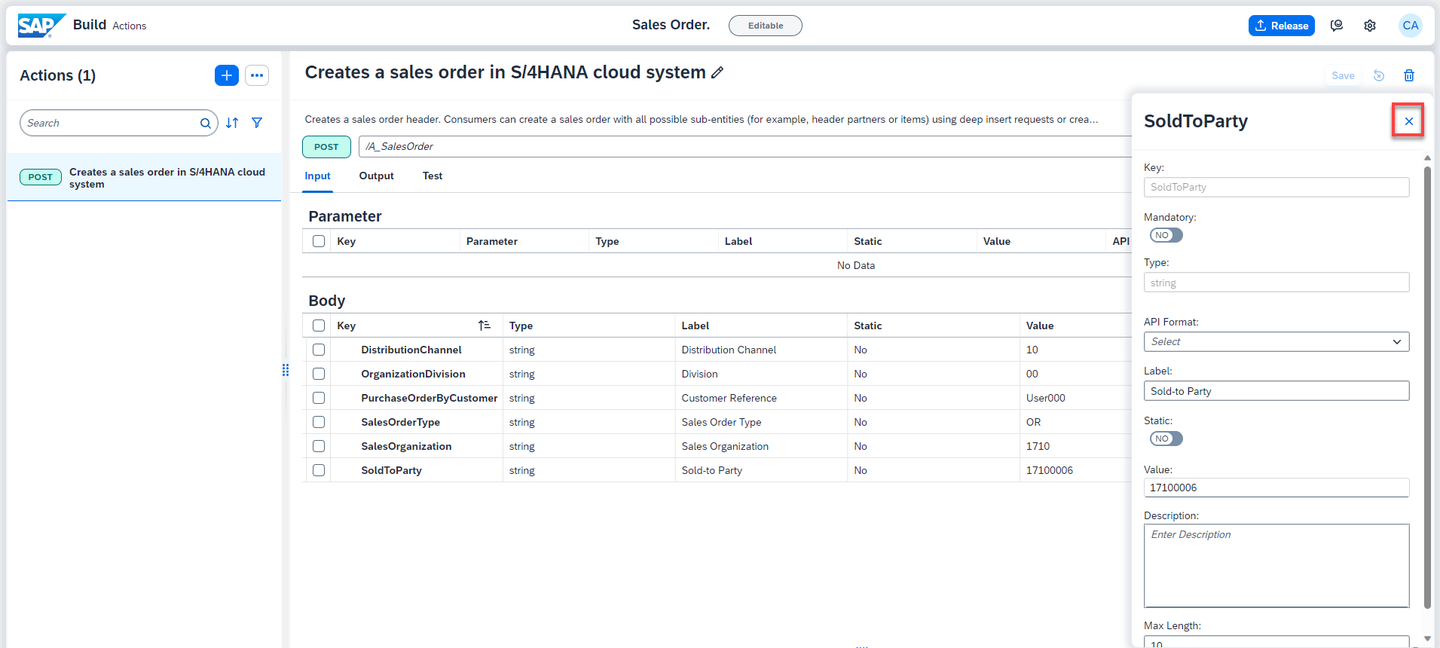
Keys selected as Input Value DistributionChannel10 OrganizationDivision00 PurchaseOrderByCustomerany name of your choice SalesOrderTypeOR SalesOrganization1710 SoldToParty17100006 You can also change the Labels of the fields.

Action Project - Save the changes.
Action Project If you get Gateway Timeout issue while saving, then close the error dialog and refresh the browser.
If you see that changes are not saved, then try saving again and refreshing the browser.
- Close the side panel.
Action Project As S/4HANA APIs need CSRF token, you need to enable it. Select Settings icon.
In the Project Settings window, select CSRF and do the following:
- Enable CSRF by selecting YES
- Under the Token Fetch End Point, enter: /
- Choose Save
Action project uses Destination service to execute the API. In the destination you have already created the URL Path as
https://my-api.s4hana.cloud.sap/sap/opu/odata/sap/API_SALES_ORDER_SRVto call the API. So, while configuring CSRF token path you do not have to enter any explicit path rather use standard URL configured in the destination.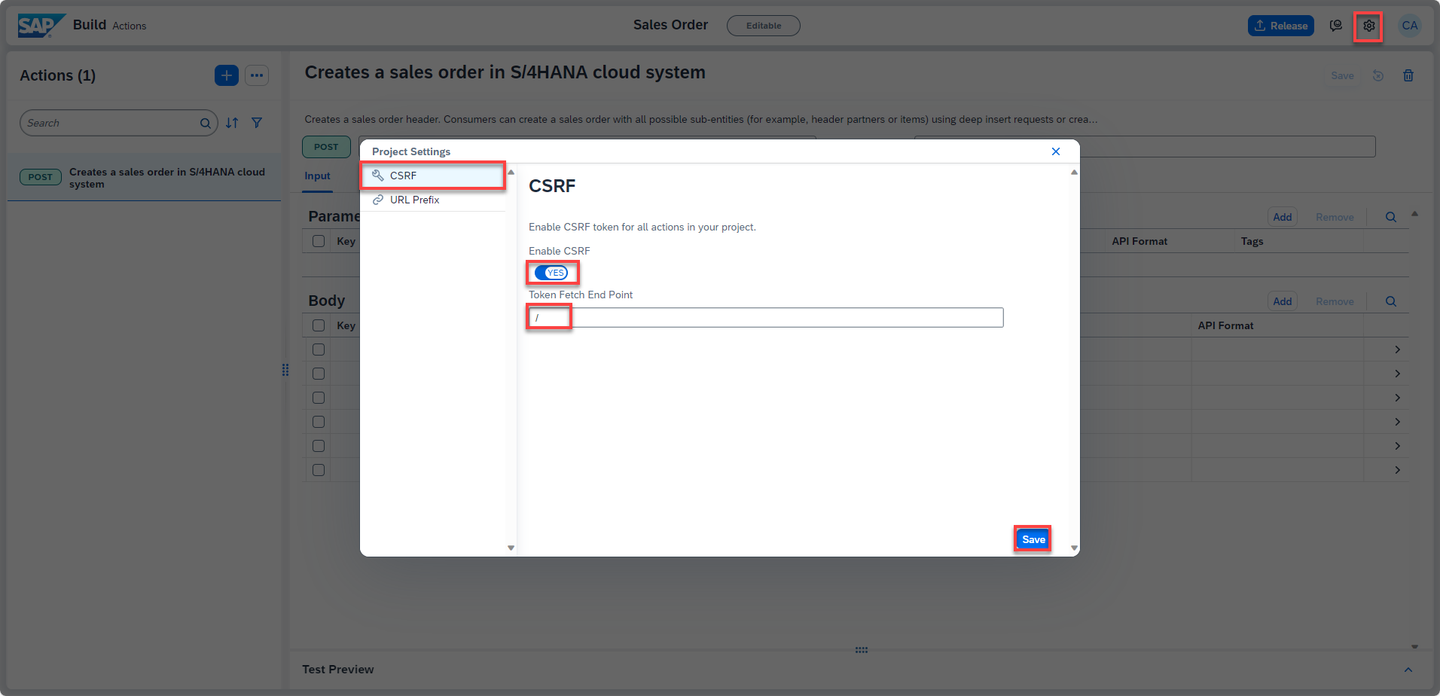
Action Project With this you have configured the action project name, CSRF token and API input fields. Save the work.

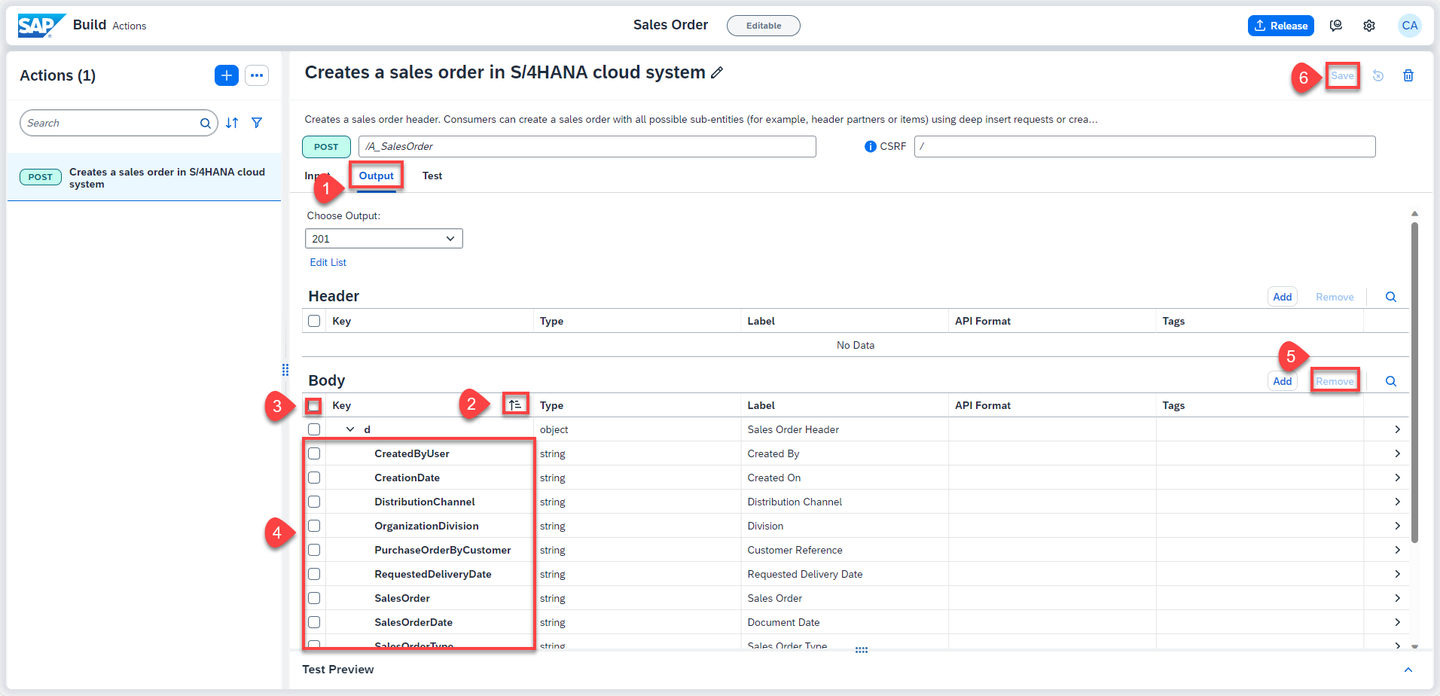
Action Project Similarly, configure the output fields. Do the following:
- Click Output tab.
- Sort the keys in Ascending Order.
- Select all the keys.
- Uncheck the following keys that are needed as Output:
Keys selected as Output CreatedByUserCreationDateDistributionChannelOrganizationDivisionPurchaseOrderByCustomerRequestedDeliveryDateSalesOrderSalesOrderDateSalesOrderTypeSalesOrganizationSoldToPartyTotalNetAmountClick on Remove to delete rest of the unwanted output fields.
In the confirmation popup, click Remove.
Save the changes.
Action Project If you get Gateway Timeout issue while saving, then close the error dialog and refresh the browser.
If you see that changes are not saved, then try saving again and refreshing the browser.
Once the action project is configured and saved, it is time to test the changes and output. To test the API, do the following:
- Click Test tab.
- Select Destination option under Connectivity.
- Select S4HANACloud from the dropdown options.
The destinations are fetched from the SAP Business Technology Platform. The selected destination is already created in the account configured for this workshop.
Notice that the input value is already picked from the default value entered while configuring the action project.
- Click Test.
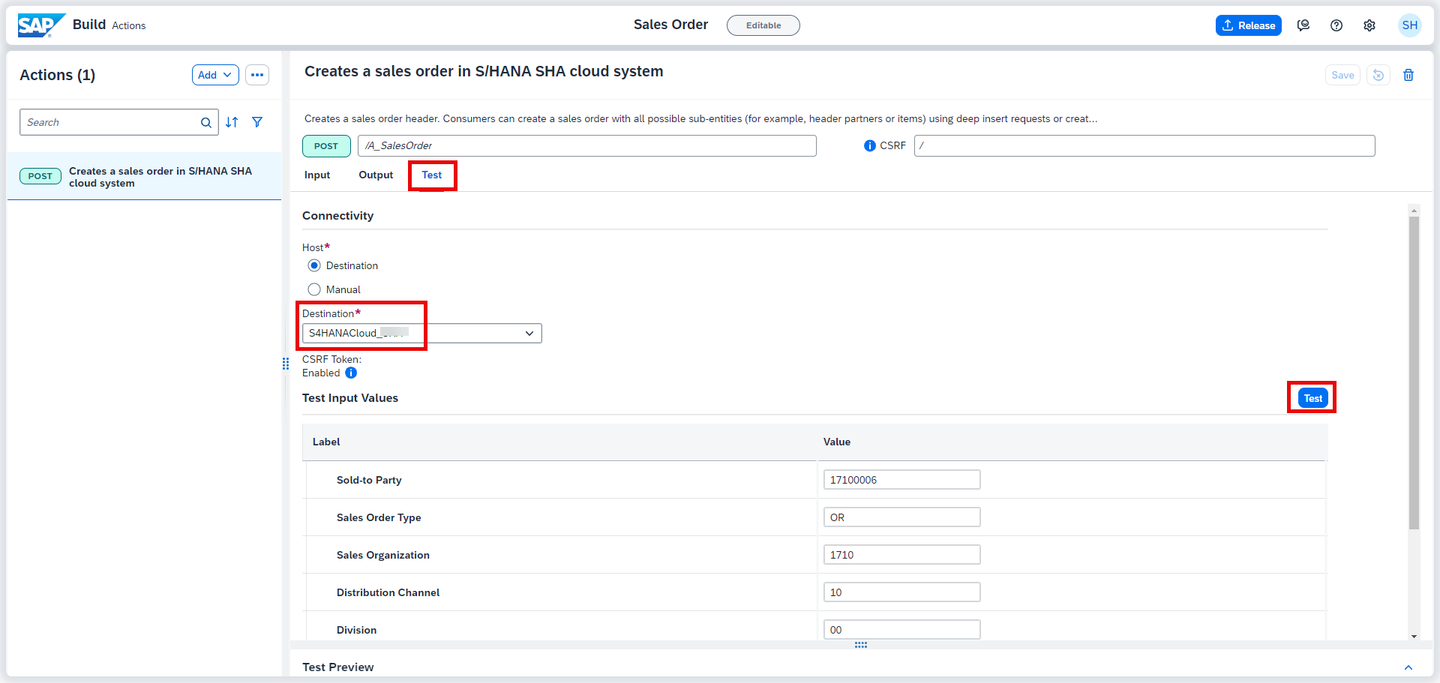
Action Project - Once the execution is successful, you see 201 Created response with the details of the new sales order being created in the backend S/4HANA Cloud system.

Action Project
You will now release the action project to create version(s) and then publish a selected version in the action repository. It is then these published actions that can be used in different processes and applications to connect to external systems.
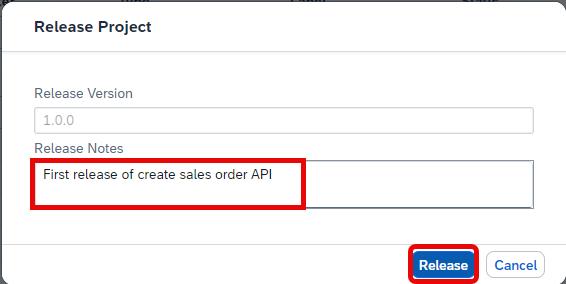
- To release a version of the action project, click Release from top-right corner.

- In the release popup, enter the Release Notes of your choice and click Release.
Notice the version of the project. It is in
majorVersionNumber.minorVersionNumber.patchNumberformat.
Once the action project is released, you can then publish any release version of the action by clicking Publish to Library from top-right corner.

With this you have successfully completed creating, configuring, releasing and publishing of action project. Now you will use these published actions to connect process to external systems via APIs.
Resources
Discussion
Share feedback on this tutorial or join the conversation in SAP Community.