
SAP HANA XS Advanced - Text Bundles within Node.js SAP HANA applications
Working with text bundles in Node.js
Overview


Prerequisites
Prerequisites
- This tutorial is designed for SAP HANA on premise and SAP HANA, express edition. It is not designed for SAP HANA Cloud.
- Proficiency: Intermediate
- Tutorials: Asynchronous Non-Blocking I/O
Steps
Add a new route for /routes/textBundle in /router/index.js
/*eslint no-console: 0, no-unused-vars: 0, no-undef:0, no-process-exit:0*/
/*eslint-env node, es6 */
"use strict";

module.exports = (app, server) => {
	app.use("/node", require("./routes/myNode")());
	app.use("/node/excAsync", require("./routes/exerciseAsync")(server));
	app.use("/node/textBundle", require("./routes/textBundle")());

	app.use( (err, req, res, next) => {
		console.error(JSON.stringify(err));
		res.status(500).send(`System Error ${JSON.stringify(err)}`);
	});
};As you can guess from the code in the first step, you need a file called textBundle.js in your routes folder with the following code
/*eslint no-console: 0, no-unused-vars: 0, consistent-return: 0, new-cap: 0*/
/*eslint-env node, es6 */
"use strict";
let express = require("express");
let app = express.Router();
let os = require("os");
let TextBundle = require("@sap/textbundle").TextBundle;

function getLocale(req) {
		let langparser = require("accept-language-parser");
		let lang = req.headers["accept-language"];
		if (!lang) {
			return null;
		}
		let arr = langparser.parse(lang);
		if (!arr || arr.length < 1) {
			return null;
		}
		let locale = arr[0].code;
		if (arr[0].region) {
			locale += "_" + arr[0].region;
		}
		return locale;
}

module.exports = function() {


	app.get("/", (req, res) => {
		let bundle = new TextBundle(global.__base + "i18n/messages", getLocale(req));
		res.writeHead(200, {
			"Content-Type": "text/plain; charset=utf-8"
		});
		let greeting = bundle.getText("greeting", [os.hostname(), os.type()]);
		res.end(greeting, "utf-8");
	});
	return app;
};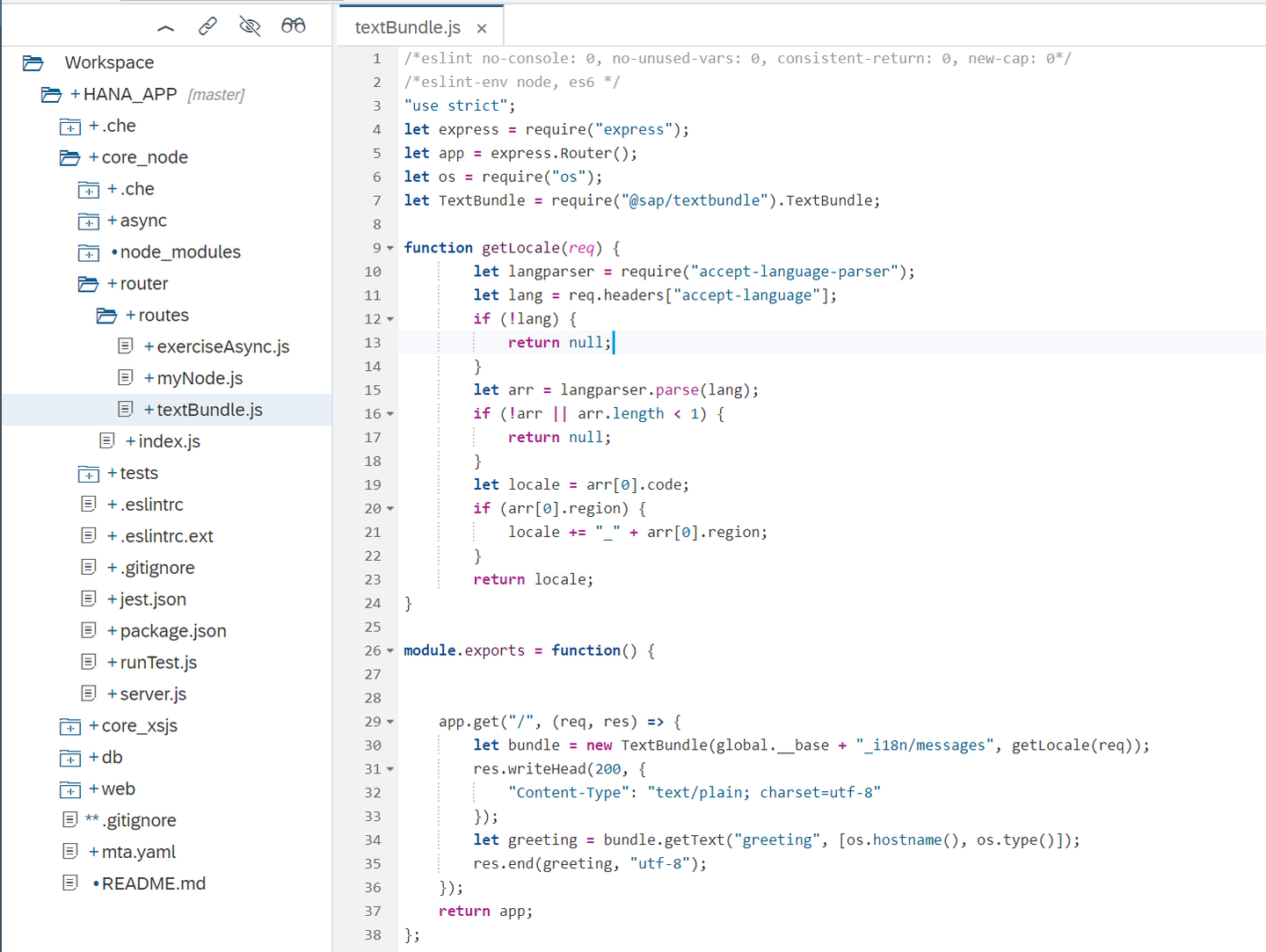
i18n stands for internationalization, the process and means to adapt text, unit of measures and other language-specific aspects of software to the different languages and their norms. The code you added in the previous step is referring to a folder called i18n in the base directory, where the text bundles are. Create the folder and a file called messages.properties with the following content:
greeting = Hello! Welcome to {0} running on {1}.You can see the code in textBundle.js is getting the language from the request and passing it to the TextBundle library, getting the text greeting. You can add a file called messajes_ja.properties for the translation in Japanese:
greeting = こんにちは!{0}上で実行されているへようこそ{1}Or the following for the translation in German, in a file called message_de.properties.
greeting = Hallo! Willkommen bei {0} läuft auf {1}This is what the files should look like:
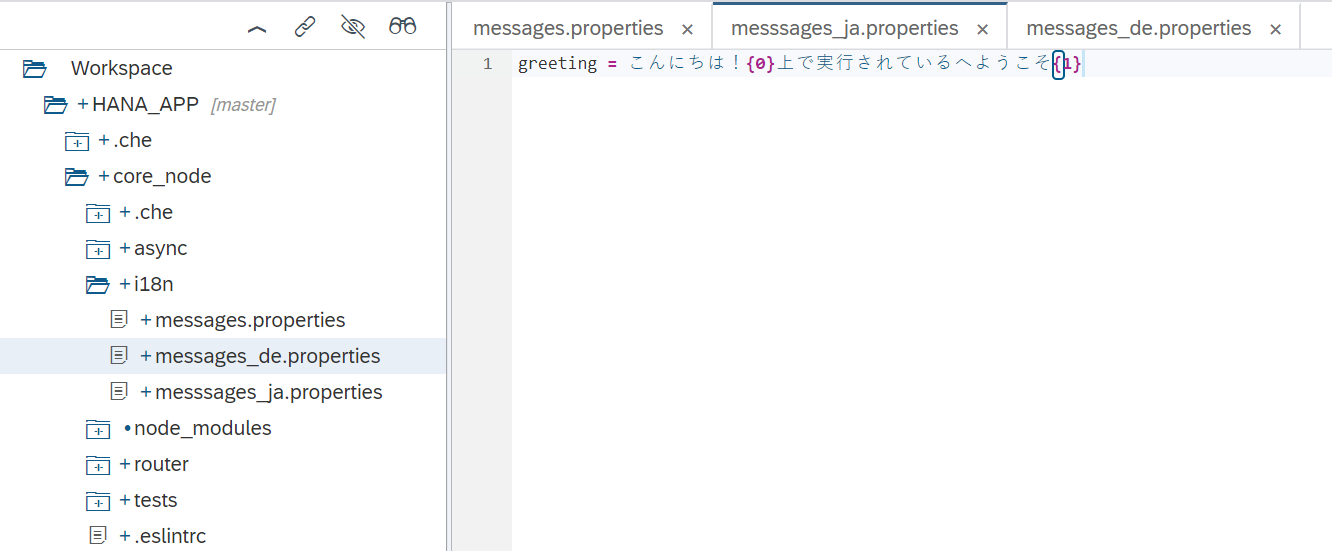
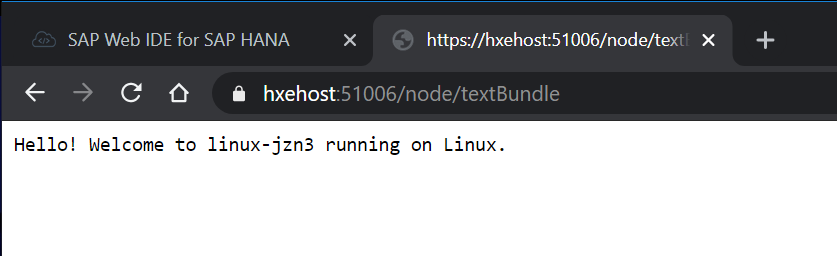
You can now run the core_node and web module. In the running tab, change the path to /node/textBundle:

You probably get the default language, English:
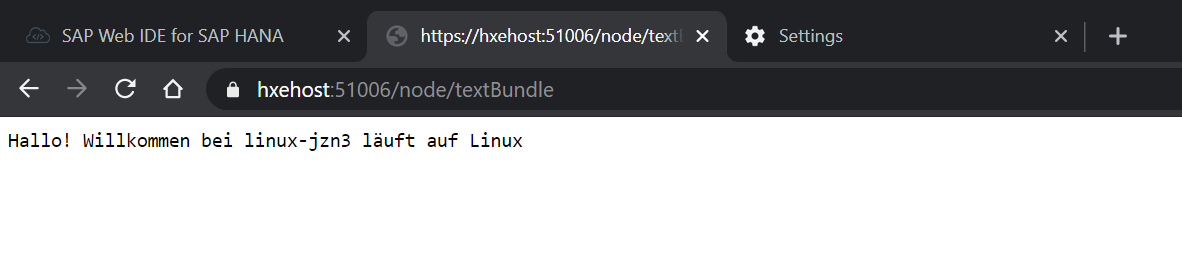
Change the language in your browser to test, for example, German:
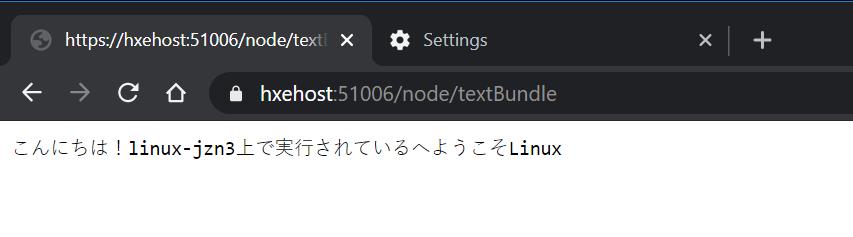
Repeat the process raising Japanese [ja] to the top of the list and refresh the web page
Resources
Discussion
Share feedback on this tutorial or join the conversation in SAP Community.