
Overview
You will learn
- How to create an ABAP package
- How to create a domain
- How to create a table
- How to create a data definition
- How to create a lock object


Prerequisites
Prerequisites
- You need a SAP BTP, ABAP environment license.
- ADT version 2.96 or higher
Steps
Intro
In this tutorial, wherever XXX appears, use a number (e.g. 000).
Go to ADT and right-click on
ZLOCAL, select the menu path New > ABAP Package.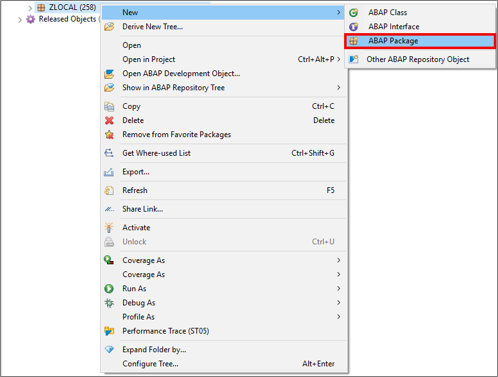
Create ABAP package Create your package:
- Name:
Z_ROOM_XXX - Description:
My Package XXX
Click Next>.
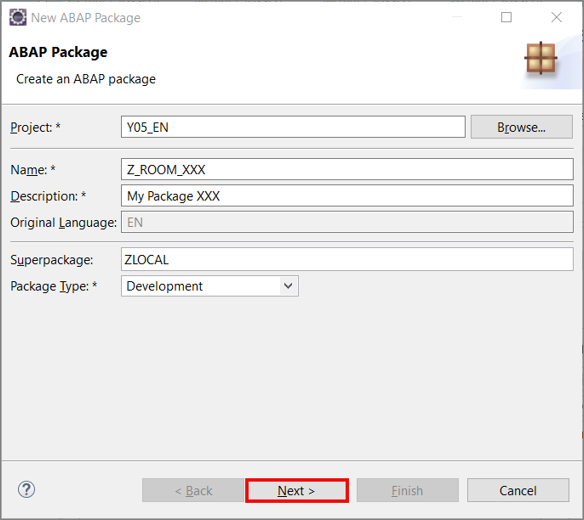
Create ABAP package - Name:
Click Next>.
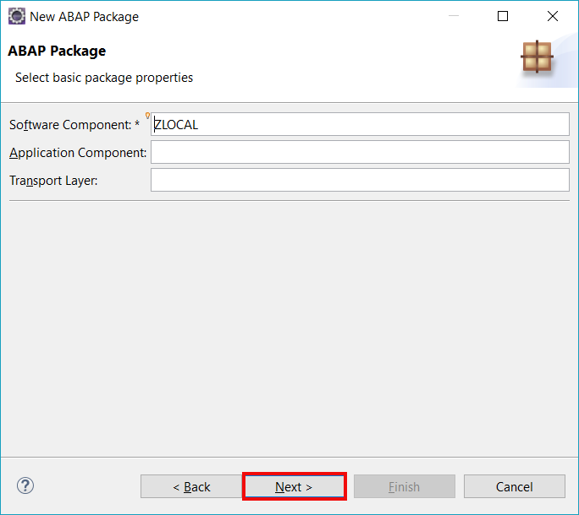
Create ABAP package Click Finish.
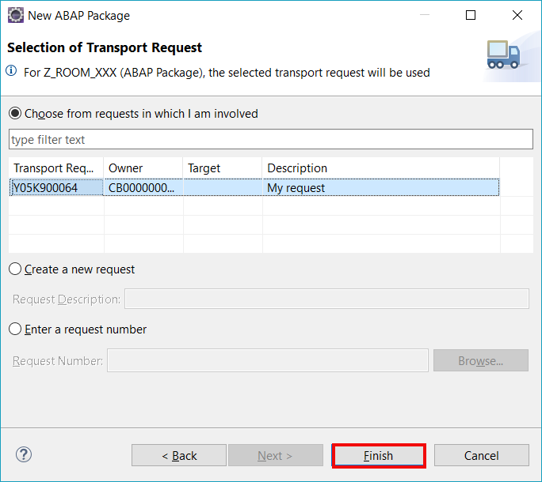
Setup connection settings
Right-click on Favorite Packages and select Add Package…

Add ABAP package Search for
Z_ROOM_XXX, select it and click OK.
Create ABAP package
Right-click on
Z_ROOM_XXX, select the menu path New > Other ABAP Repository Object
Create domain Search for Domain, select it and click Next>.

Create domain Create your domain: - Name:
Z_LOCA_DOM_XXX- Description:Location
Click Next>.

Click Finish.

Create domain Enhance your domain with following information:
- Data Type:
CHAR - Length: 3
- Output Length: 3
Save and activate.

Create domain - Data Type:
Right-click on
Z_ROOM_XXX, select the menu path New > Other ABAP Repository Object
Create data element Search for Data Element, select it and click Next>.

Create data element Create your data element: - Name:
Z_LOCA_DTEL_XXX- Description:Location
Click Next>.

Click Finish.

Create data element Enhance your data element with following information:
- Category: Domain
- Type Name:
Z_LOCA_DOM_XXX
Save and activate.

Create data element
Right-click on
Z_ROOM_XXX, select the menu path New > Other ABAP Repository Object
Create table Search for Database Table, select it and click Next>.

Create table Create your database table: - Name:
ZROOM_XXX- Description:Room XXX
Click Next>.

Click Finish.

Create table Create your data table with following coding:
  @EndUserText.label : 'Room XXX'
  @AbapCatalog.enhancementCategory : #NOT_EXTENSIBLE
  @AbapCatalog.tableCategory : #TRANSPARENT
  @AbapCatalog.deliveryClass : #A
  @AbapCatalog.dataMaintenance : #LIMITED
  define table zroom_xxx {
  key client          : abap.clnt not null;
  key id              : abap.char(20) not null;
  @EndUserText.label : 'Seats'
  seats               : abap.dec(3,0);
  location            : z_loca_dtel_xxx;
  hasbeamer           : abap_boolean;
  hasvideo            : abap_boolean;
  userrating          : abap.char(2);
  lastchangeddatetime : tzntstmpl;
  lastchangedbyuser   : syuname;
  }
Save and activate.
Right-click on
Z_ROOM_XXX, select the menu path New > Other ABAP Repository Object
Create table Search for Data Definition, select it and click Next>.

Create table Create your data definition: - Name:
Z_I_ROOM_XXX- Description:Room XXX
Click Next>.

Click Finish.
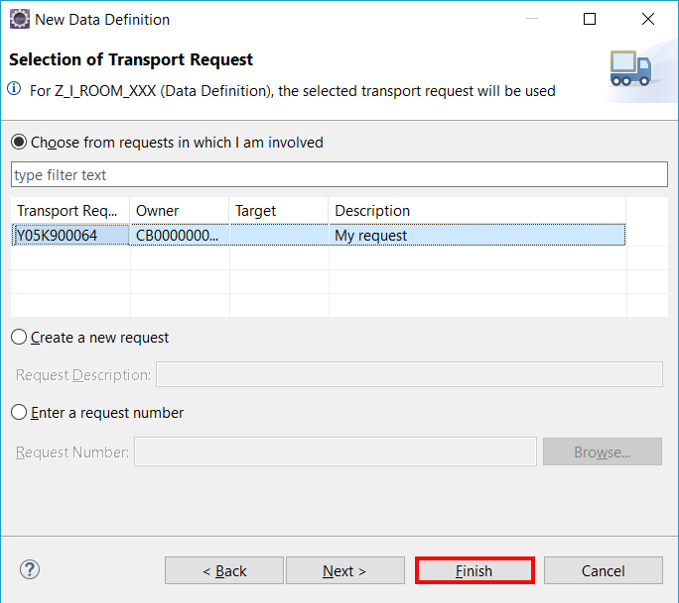
Create table Create your data definition with following coding:
@AbapCatalog.sqlViewName: 'Z_M_ROOM_XXX'
@AbapCatalog.compiler.compareFilter: true
@AbapCatalog.preserveKey: true
@AccessControl.authorizationCheck: #CHECK
@EndUserText.label: 'Room XXX'
@Search.searchable
@UI.headerInfo: { typeName: 'Room', typeNamePlural: 'Rooms' , title : { value: 'ID' } }
define root view Z_I_ROOM_XXX as select from zroom_xxx as room
association [0..1] to I_BusinessUserBasic as _SAPSysAdminDataChangeUser on _SAPSysAdminDataChangeUser.UserID = room.lastchangedbyuser
{
@UI.facet: [ { type: #COLLECTION, position: 1, id: 'ROOM', label: 'Room'  }, { type: #IDENTIFICATION_REFERENCE, position: 1, parentId: 'ROOM', label: 'General Information'}]
@EndUserText: { label: 'ID' }
@Search: { defaultSearchElement: true }
@UI: { lineItem: [{ position: 1 }], identification: [{ position: 1 }] }
key room.id,
@EndUserText: { label: 'Seats' }
@UI: { lineItem: [{ position: 3 }], identification: [{ position: 2 }] }
room.seats,
@EndUserText: { label: 'Location' }
@UI: { lineItem: [{ position: 4 }], identification: [{ position: 3 }] }
room.location,
@EndUserText: { label: 'Has Beamer' }
@UI: { lineItem: [{ position: 5 }], identification: [{ position: 4 }] }
room.hasbeamer,
@EndUserText: { label: 'Has Video' }
@UI: { lineItem: [{ position: 7 }], identification: [{ position: 5 }] }
room.hasvideo,
@EndUserText: { label: 'User Rating' }
@UI: { lineItem: [{ position: 8 }], identification: [{ position: 6 }] }
userrating,
@EndUserText: { label: 'Last Changed On' }
@UI: { identification: [{ position: 7 }] }
room.lastchangeddatetime,
@EndUserText: { label: 'Last Changed By' }
@UI: { identification: [{ position: 8 }], textArrangement: #TEXT_ONLY }
room.lastchangedbyuser,
@UI.hidden: true
_SAPSysAdminDataChangeUser
}Save and activate.
Right-click on
Z_ROOM_XXX, select the menu path New > Other ABAP Repository Object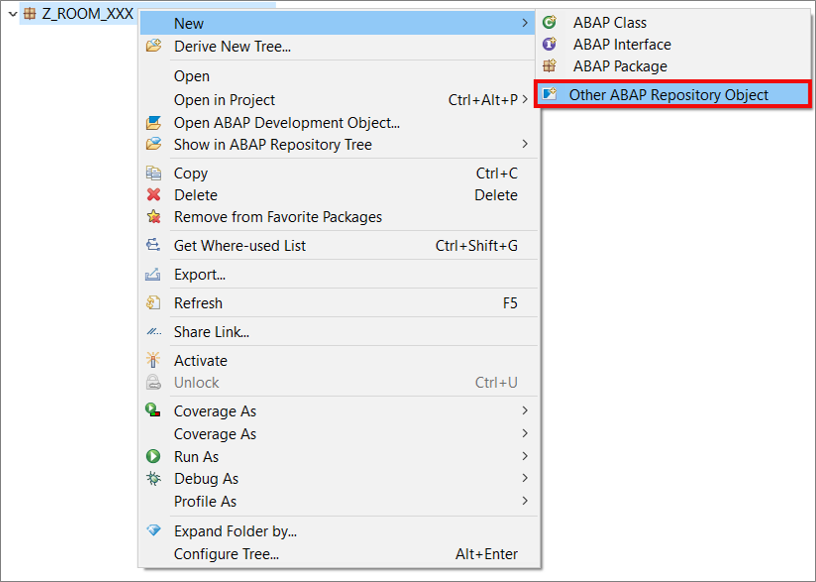
Create lock object Search for Lock Object, select it and click Next>.
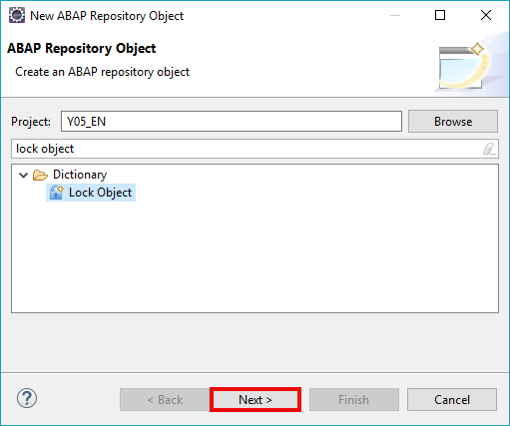
Create lock object Create your database table: - Name:
EZROOMXXX- Description:LOCK
Click Next>.

Click Finish.
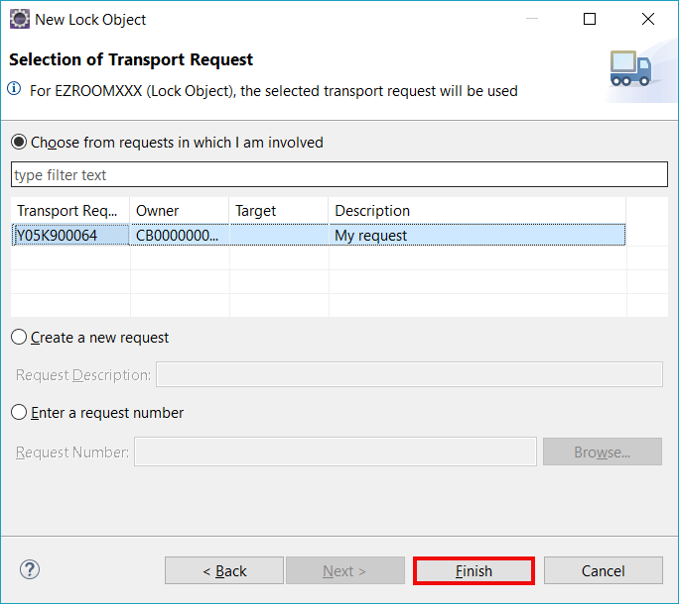
Create lock object Enhance your lock object with following information:
- Lock Mode: Write Lock
Save and activate.

Create lock object
Resources
Discussion
Share feedback on this tutorial or join the conversation in SAP Community.