
Use Free Tier to Subscribe to SAP Document AI Basic UI
Use the free tier service plan to get access to the SAP Document AI user interface application, using SAP Business Technology Platform (SAP BTP).
Overview
You will learn
- How to get a tenant for Cloud Identity Services
- How to activate an account for Cloud Identity Services and establish trust
- How to subscribe, assign role collection and access the SAP Document AI basic UI


Prerequisites
Prerequisites
- You have created a service instance for SAP Document AI: Use Free Tier to Create a Service Instance for SAP Document AI
Steps
After completing the prerequisite tutorial Use Free Tier to Create a Service Instance for SAP Document AI, you can start with the steps to subscribe to the SAP Document AI basic UI.
Open the SAP BTP cockpit.
Click the tile to access your subaccount.

The SAP Document AI basic UI requires a tenant for Cloud Identity Services. For more information, see Get Your Tenant.
To use the SAP Document AI basic UI, you need to make sure that your account is properly configured.
On the navigation side bar, click Entitlements to see a list of all eligible services. You are entitled to use every service in this list according to the assigned service plan.
Search for
Cloud Identity Services. If you find it in the list, you are entitled to use it. Now you can set this step to Done and proceed with Step 3.

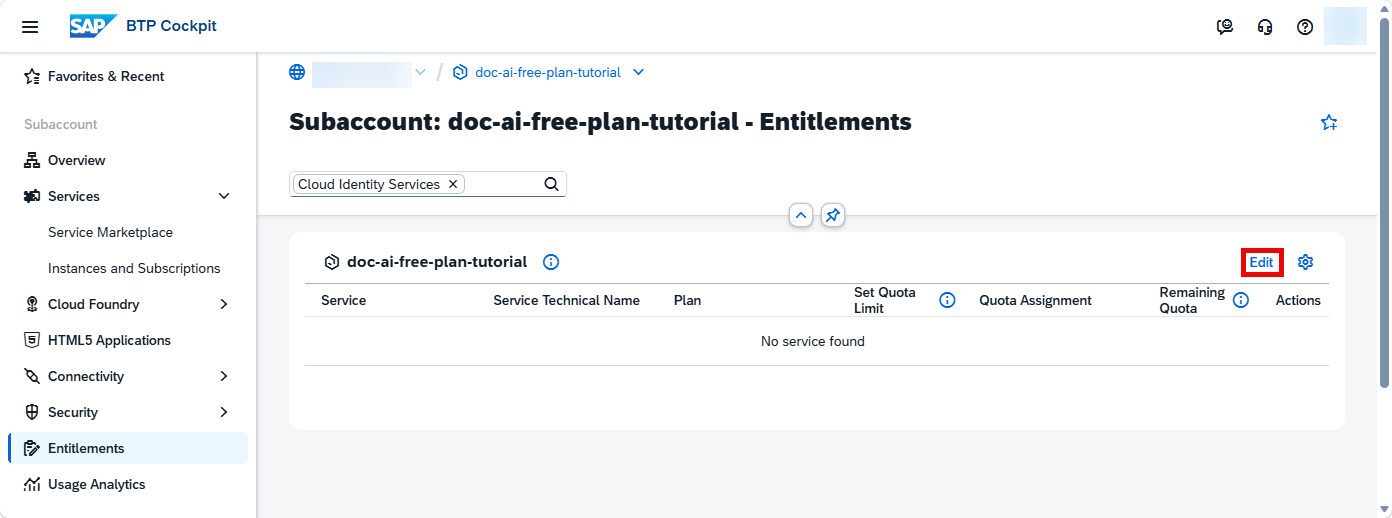
ONLY if you DO NOT find Cloud Identity Services in your list, proceed as follows:
- Click Edit.
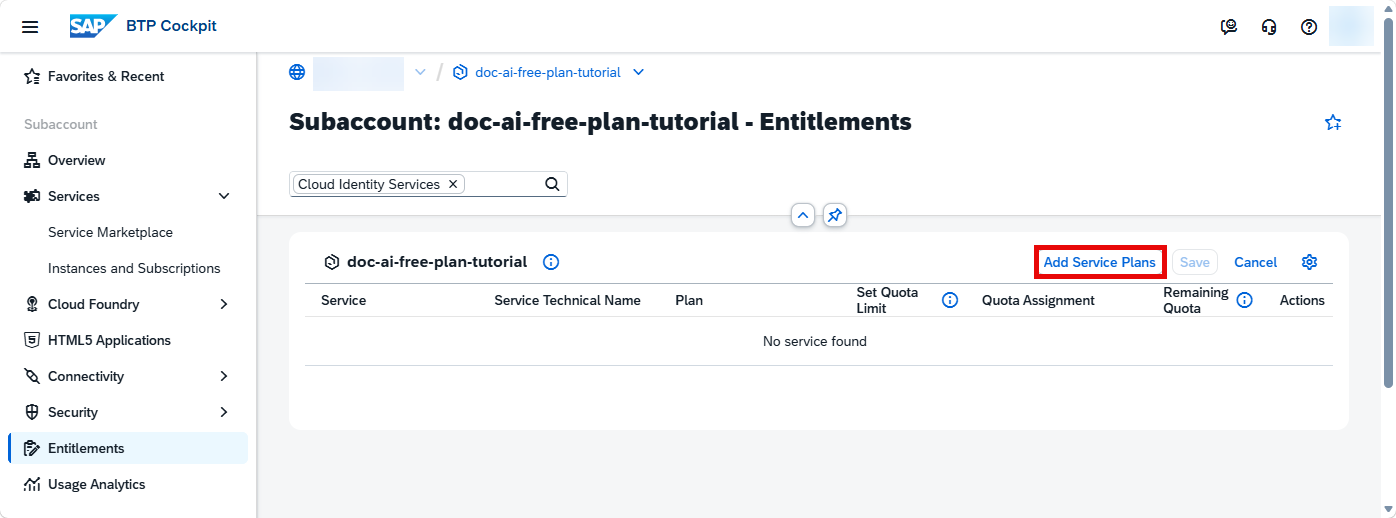
- Click Add Service Plans.
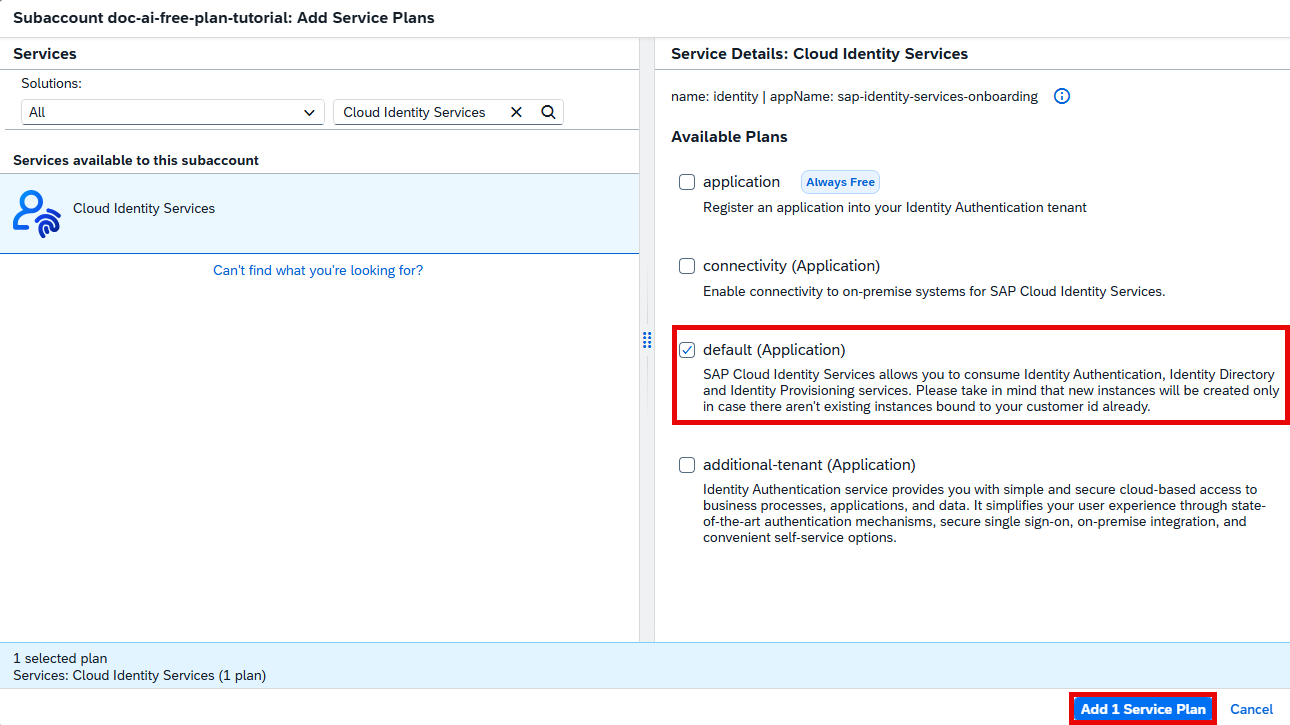
- Search for
Cloud Identity Services. Choose thedefault (Application)plan (or theadditional-tenant (Application)plan). Click Add 1 Service Plan.
- Click Save to save your entitlement changes.
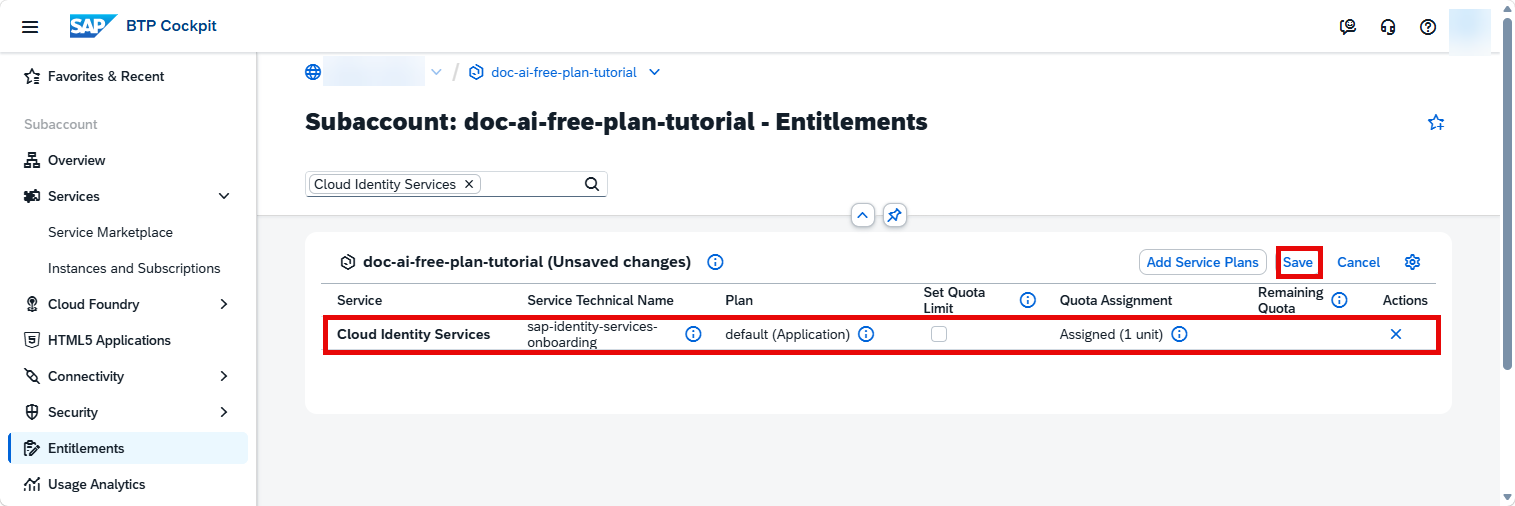
You are now entitled to create a tenant for Cloud Identity Services.
The Service Marketplace is where you find all the services and applications available on SAP BTP.
On the navigation side bar, click Service Marketplace. Search for
Cloud Identity Servicesand click the tile.
DOX-UI In the top-right corner, click Create.

DOX-UI In the dialog, click Create.

The subscription is going to be created now. Click on View Subscription to go to the list of your existing subscriptions.

Go to your inbox and open the account activation email (
Activation Information for SAP Cloud Identity Services). Click the activation link.
DOX-UI Enter a password and click Continue.

DOX-UI You are informed that your account is successfully activated. Click Continue.

DOX-UI
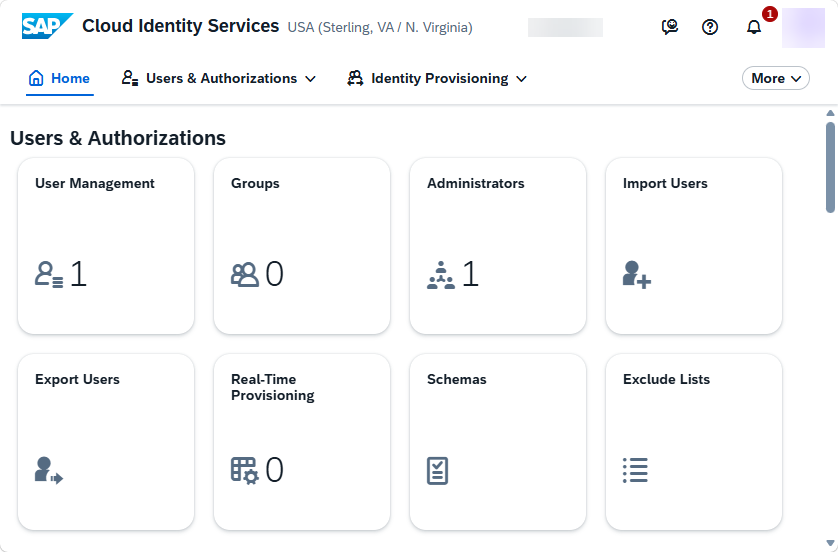
This opens the administration console of SAP Cloud Identity Services:
Back on the SAP BTP cockpit, under Security, click Trust Configuration and then in the top-right corner, click Establish Trust.

DOX-UI Choose your tenant for Cloud Identity Services and click Next 3 times.

DOX-UI Click Finish.

DOX-UI
Your tenant for Cloud Identity Services is added to the list:
On the navigation side bar, click Service Marketplace. Search for
SAP Document AIand click the tile.
DOX-UI Click Create.

DOX-UI In the dialog, choose the
defaultplan and click Create.

The subscription is going to be created now. Click on View Subscription to go to the list of your existing subscriptions.
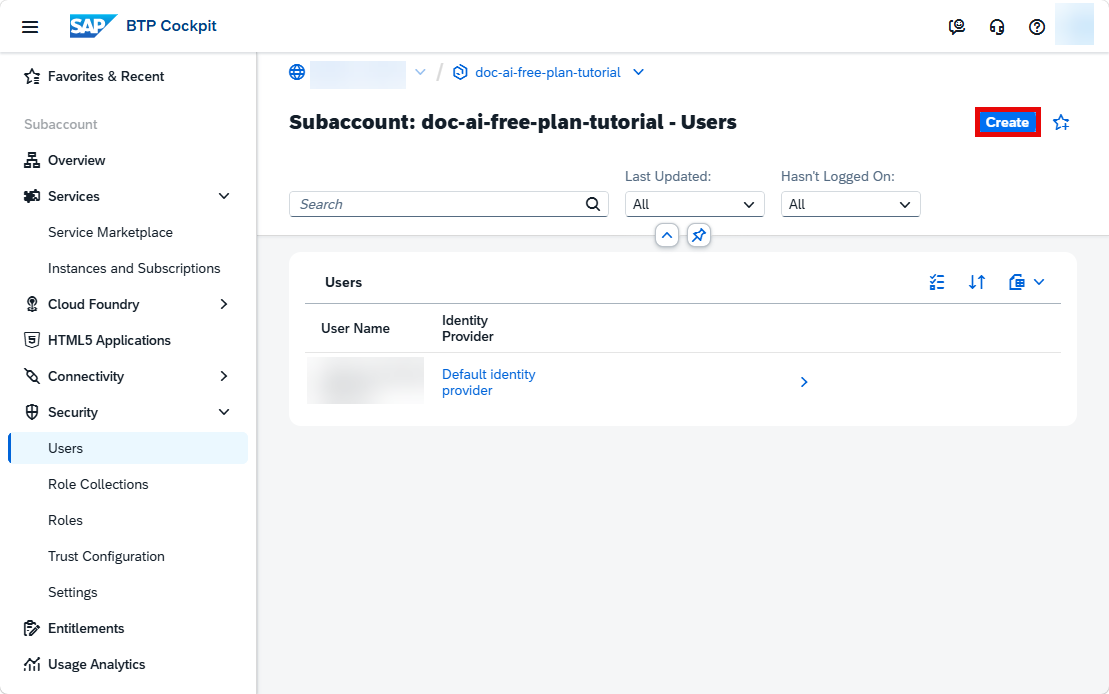
Under Security, click Users and then click Create.
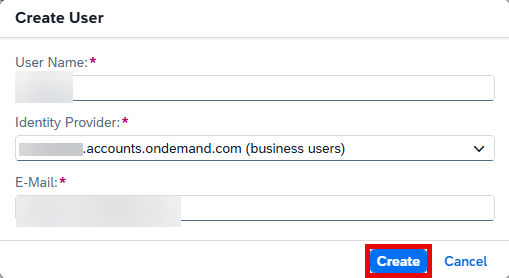
DOX-UI Enter your User Name and E-mail. In the Identity Provider dropdown, choose your tenant for Cloud Identity Services. Click Create.
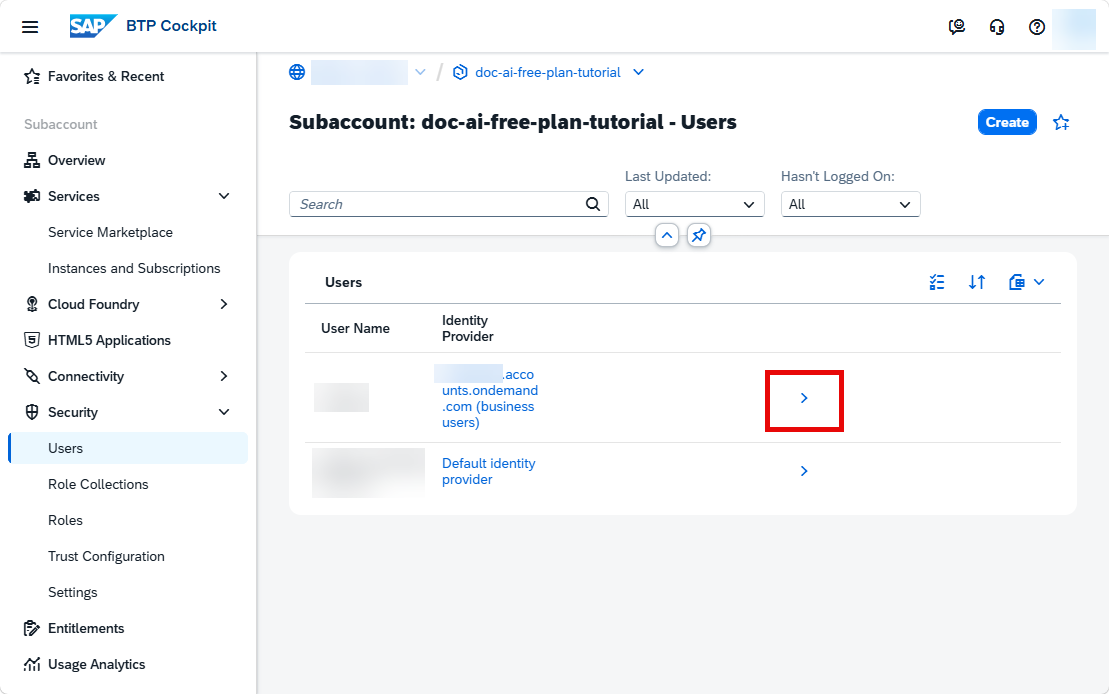
DOX-UI Click the Navigation arrow of your tenant for Cloud Identity Services.
DOX-UI Click Assign Role Collection.

DOX-UI Choose
Document_Information_Extraction_UI_Templates_Adminto access all the features available in the UI application and click Assign Role Collection.
DOX-UI
Your tenant for Cloud Identity Services is now assigned to the Document_Information_Extraction_UI_Templates_Admin role collection.

Go back to Instances and Subscriptions, click the dots to open the menu and select Go to Application to open the app.

The SAP Document AI application is displayed:

You have successfully subscribed to the SAP Document AI basic UI. Find out how to use the application in the tutorial: Use Machine Learning to Extract Information from Documents with the SAP Document AI Basic UI.
Resources
Discussion
Share feedback on this tutorial or join the conversation in SAP Community.