
Overview
You will learn
- How to create an SAP Event Mesh service instance
- How to access the Service Key of a SAP Event Mesh service instance


Prerequisites
Prerequisites
- SAP Business Technology Platform environment with SAP Event Mesh entitlement. Note: SAP Event Mesh is currently only available in Commercial accounts. It is unavailable in SAP Business Technology Platform Trial.
Steps
Intro
IMPORTANT: It is really important to learn the basics of messaging before going ahead with this tutorial. Check out The Basics of SAP Event Mesh.
Open the SAP Business Technology Platform cockpit, Cloud Foundry environment.
Navigate to your subaccount.
Expand Services and choose Instances and Subscriptions.
Choose Create.
Select Event Mesh and then default service plan (for Factory landscape), else dev plan (for Trial landscape).
Select Cloud Foundry as the runtime environment. Select your space then, enter an instance name. Choose Next.(for this exercise, we will consider only Cloud Foundry runtime environment)
Specify parameters using a JSON file (to create an instance of default plan)
JSON{ "emname": "<yourmessageclientname>", "namespace": "<yourorgname>/<yourmessageclientname>/<uniqueID>", "version": "1.1.0", "options": { "management": true, "messagingrest": true, "messaging": true }, "rules": { "queueRules": { "publishFilter": [ "${namespace}/*" ], "subscribeFilter": [ "${namespace}/*" ] }, "topicRules": { "publishFilter": [ "${namespace}/*" ], "subscribeFilter": [ "${namespace}/*" ] } }
}
 Service descriptor defines the message client. Each service instance is a message client that contains a name, namespace and a set of rules.

 The following section describes each parameter used in the service descriptor.

 - **emname** - It specifies the name of the message client. Should be unique for a subaccount.

 - **namespace** - The namespace ensures that every message client within a subaccount is unique. The namespace should be provided as a prefix and is not done automatically. The namespace contains exactly 3 segments (max length of 24 characters) with recommended approach as orgName/clientName/uniqueId.

 - **options** -  It is used to define the access channels for the message client.

 - **rules** -  Defines the access privileges for the message client. In order to allow access to a queue or a topic, the namespace of the corresponding owner message client has to be added

8. Specify parameters using a JSON file (to create an instance of **dev** plan)
```JSON
{
	"emname": "<your-emname>",
	"options": {
		"management": true,
		"messagingrest": true
	}
}
Review the information you have provided and choose Create.

SAP Event Mesh Instance
An instance of SAP Event Mesh is created.
Each Event Mesh instance represents a message client. Each message client has a set of queues and topics to which it is associated. All these queues and topics belonging to one message client are exposed to other message clients using its unique credentials. This entire set of queues and topics within different message clients in a subaccount can send and receive messages or events to each other using the service.
When an instance of SAP Event Mesh is created with the steps mentioned above, it stores the information of the protocols, corresponding end-points and authorizations which can be used to bind it to an Application. Service Key holds this information when an instance of SAP Event Mesh is created. You can create a service key of the instance with the following steps depicted through following three images.
Click on Create a Service Key
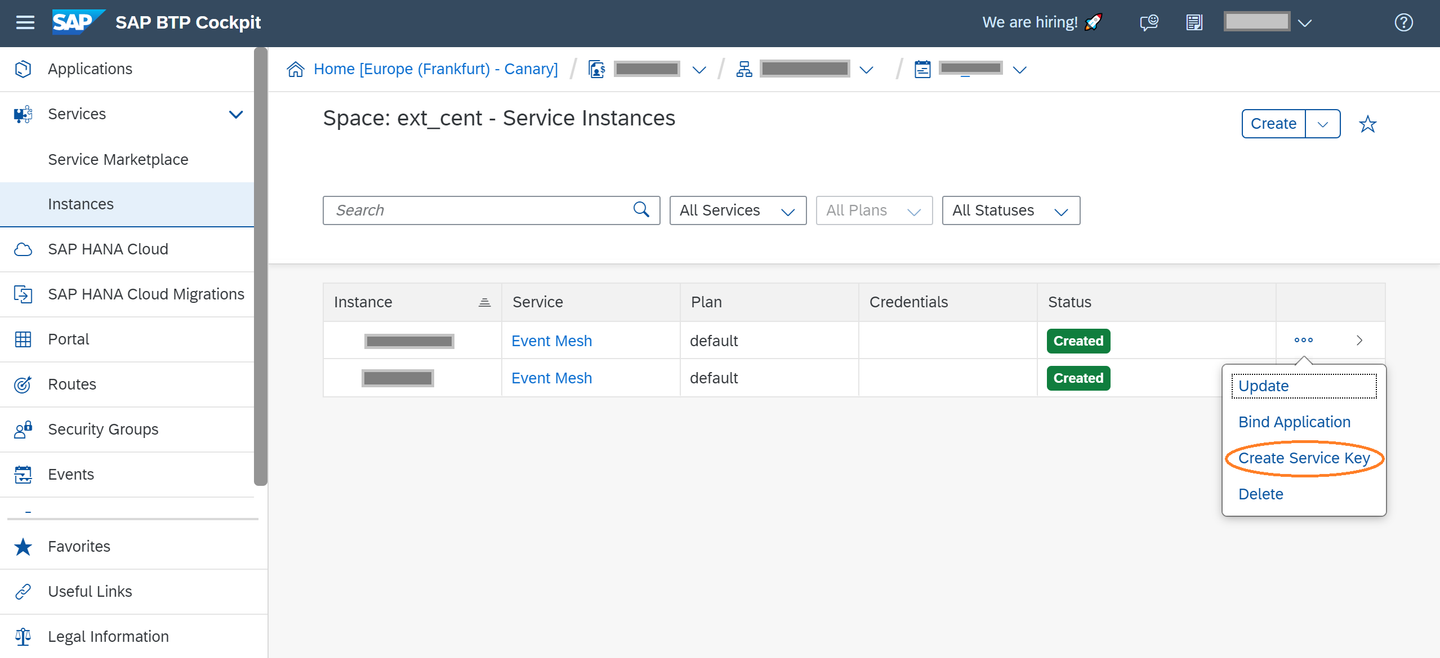
Click on Create a Service Key Naming the Service Key
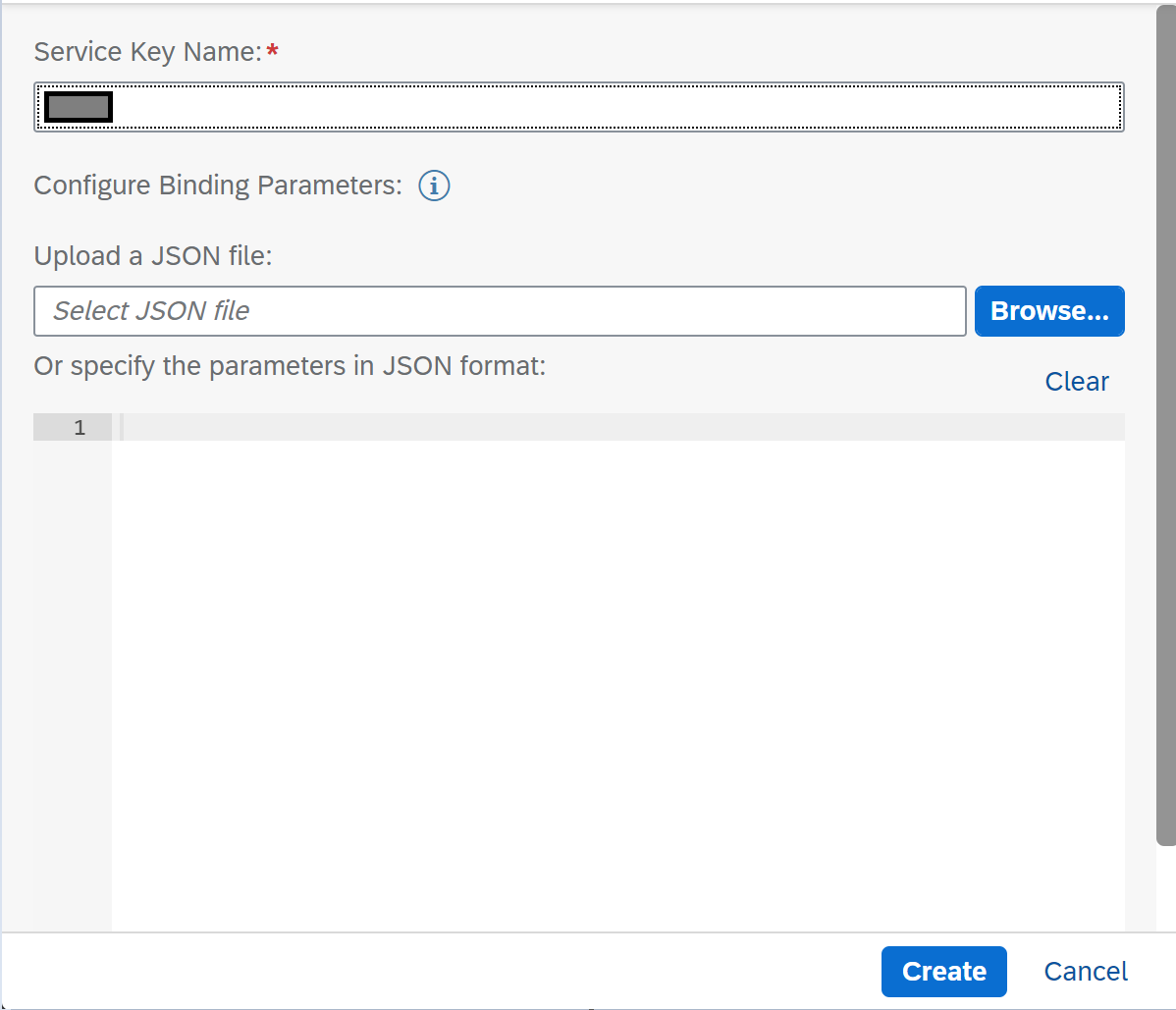
Naming the Service Key View the created Service Key
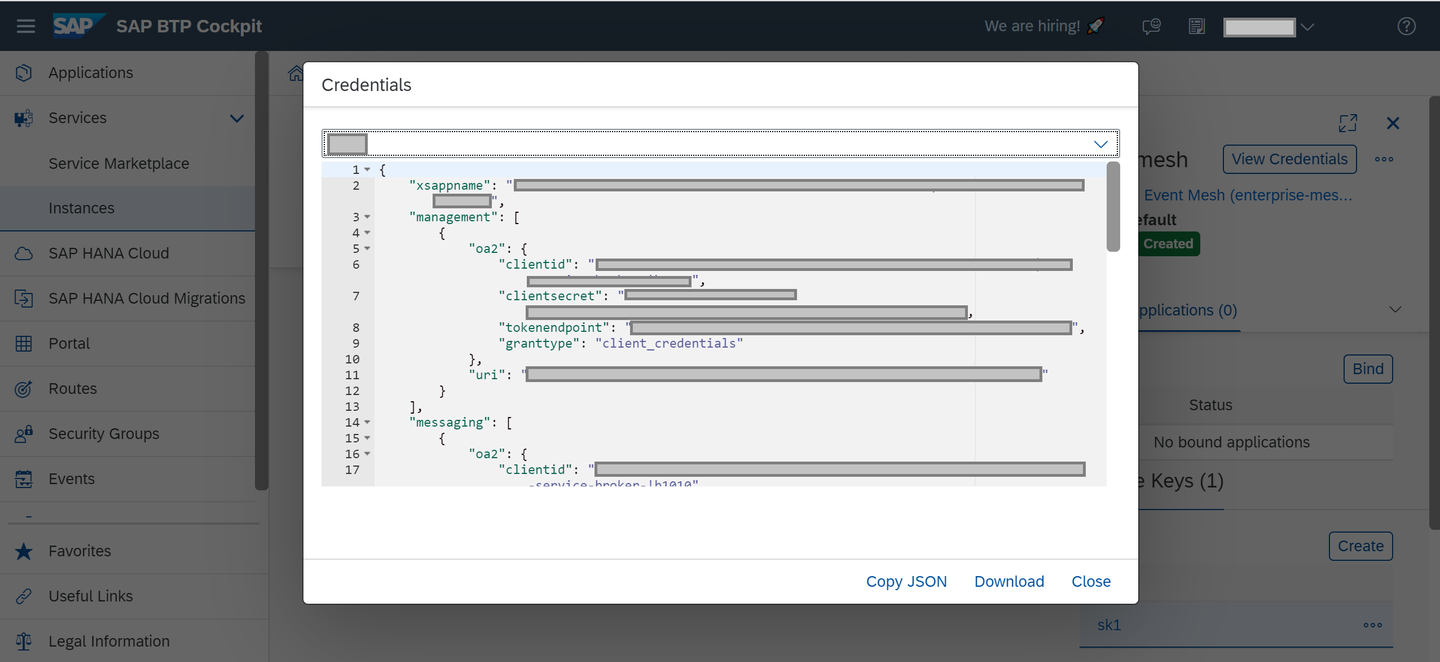
View the created Service Key
Do find below a template Service Key of an SAP Event Mesh instance.
{
  "xsappname": "<app-name>",
  "serviceinstanceid": "<instance-id>",
  "messaging": [
    {
        "oa2": {
              "clientid": "<client_id>",
              "clientsecret": "<client_secret>",
              "tokenendpoint": "https://<app-url>/oauth/token",
              "granttype": "client_credentials"
        },
        "protocol": ["amqp10ws"],
        "broker": {
            "type": "sapmgw"
        },
        "uri": "wss://<app-url>/protocols/amqp10ws"
    },
    {
        "oa2": {
                "clientid": "<client_id>",
                "clientsecret": "<client_secret>",
                "tokenendpoint": "https://<app-url>/oauth/token",
                "granttype": "client_credentials"
        },
        "protocol":["mqtt311ws"],
        "broker": {
                    "type": "sapmgw"
        },
        "uri": "wss://<app-url>/protocols/protocols/mqtt311ws"
    },
    {
        "oa2": {
              "clientid": "<client_id>",
              "clientsecret": "<client_secret>",
              "tokenendpoint": "https://<app-url>/oauth/token",
              "granttype": "client_credentials"
        },
        "protocol": ["httprest"],
        "broker": {
              "type": "saprestmgw"
        },
        "uri": " https://<app-url>/"
    }
  ],
  "management": [
      {
        "oa2": {
              "clientid": "<client_id>",
              "clientsecret": "<client_secret>",
              "tokenendpoint": "https://<app-url>/oauth/token",
              "granttype": "client_credentials"
        },
        "uri": " https://<app-url>/"
      }
  ]
}The segment
managementin the service binding information is available only if you set the option management as true during service instance creation.The segment
httprestin the service binding information is available only if you have set the optionmessagingrestas true during service instance creation.
Now you can proceed with the tutorial Create Queues and Queue Subscriptions for Event Mesh to create queues and queue subscriptions so you can start working with SAP Event Mesh.
Resources
Discussion
Share feedback on this tutorial or join the conversation in SAP Community.