
Overview
You will learn
- How to configure the connectivity between SAP SuccessFactors and SAP Cloud Application Event Hub


Prerequisites
Prerequisites
- You have access to an SAP SuccessFactors system and an instance of SAP Cloud Application Event Hub in your SAP BTP account.
- You’ve completed the previous tutorial: Set up SAP Cloud Application Event Hub.
Steps
Intro
Now that we are familiar with the basic concepts of SAP Cloud Application Event Hub, we can proceed to configure the connectivity between SAP SuccessFactors and SAP Cloud Application Event Hub. For this, we will be interacting with the SAP BTP cockpit global account. In the SAP BTP Cockpit we will add the system and once we’ve achieve this, we will include it in the formation.
Depending on how your SAP BTP global account is setup, an SAP SuccessFactors system may already be registered in your SAP BTP global account. If not, follow the steps below to add an SAP SuccessFactors system in the SAP BTP global account.
Go to the SAP BTP cockpit and navigate to the Systems within the System Landscape section. Here you will find all systems registered in your system landscape. Given that we’ve already created an instance of SAP Cloud Application Event Hub, you will see it listed here.
Choose the Add System button. Set the System Name and select
SAP SuccessFactorsas the System Type. Then select the Get Token button to generate a registration token.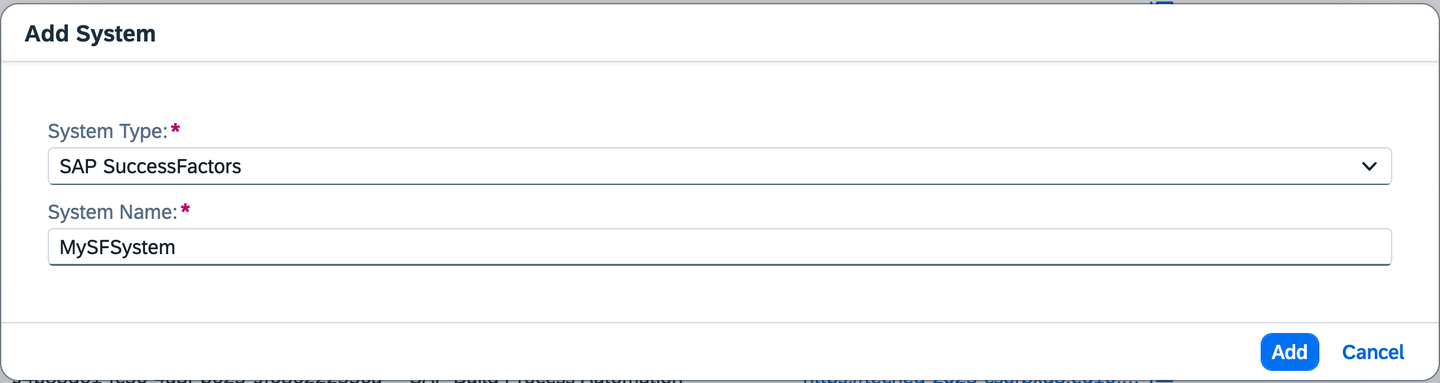
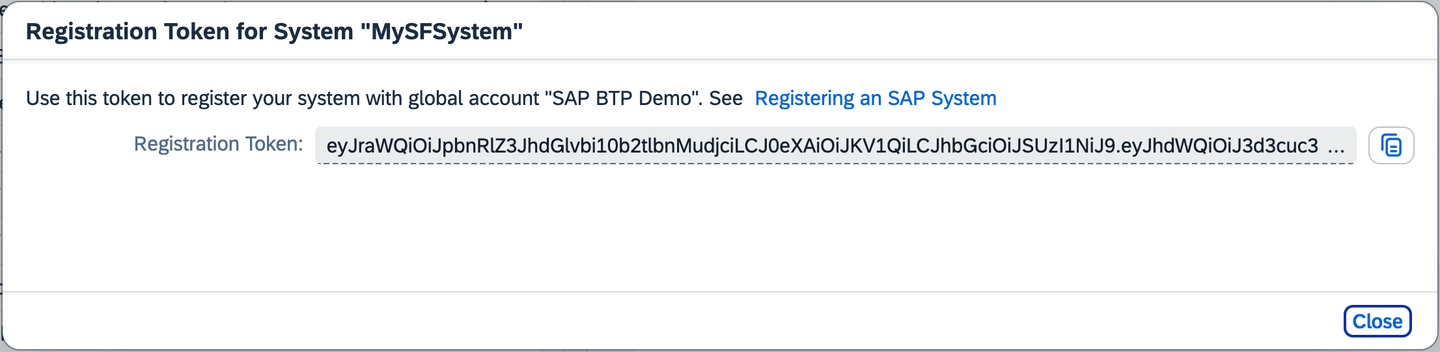
alt text Copy the token generated from the dialog by selecting the Copy to Clipboard button. This token will be used to connect your SAP SuccessFactors tenant with the SAP BTP global account.
alt text In SAP SuccessFactors, go to the Admin Center, navigate to Extension Center. On the Extensions on SAP BTP tab page, navigate to the Add Integration with SAP BTP, and paste the registration token in the Integration Token field. Finish by choosing the Add button.
Now that we have the SAP SuccessFactors system registered in our SAP BTP global account, we can proceed to include it in a formation. The formation will need to be of type Eventing between SAP cloud systems to enable the event exchange.
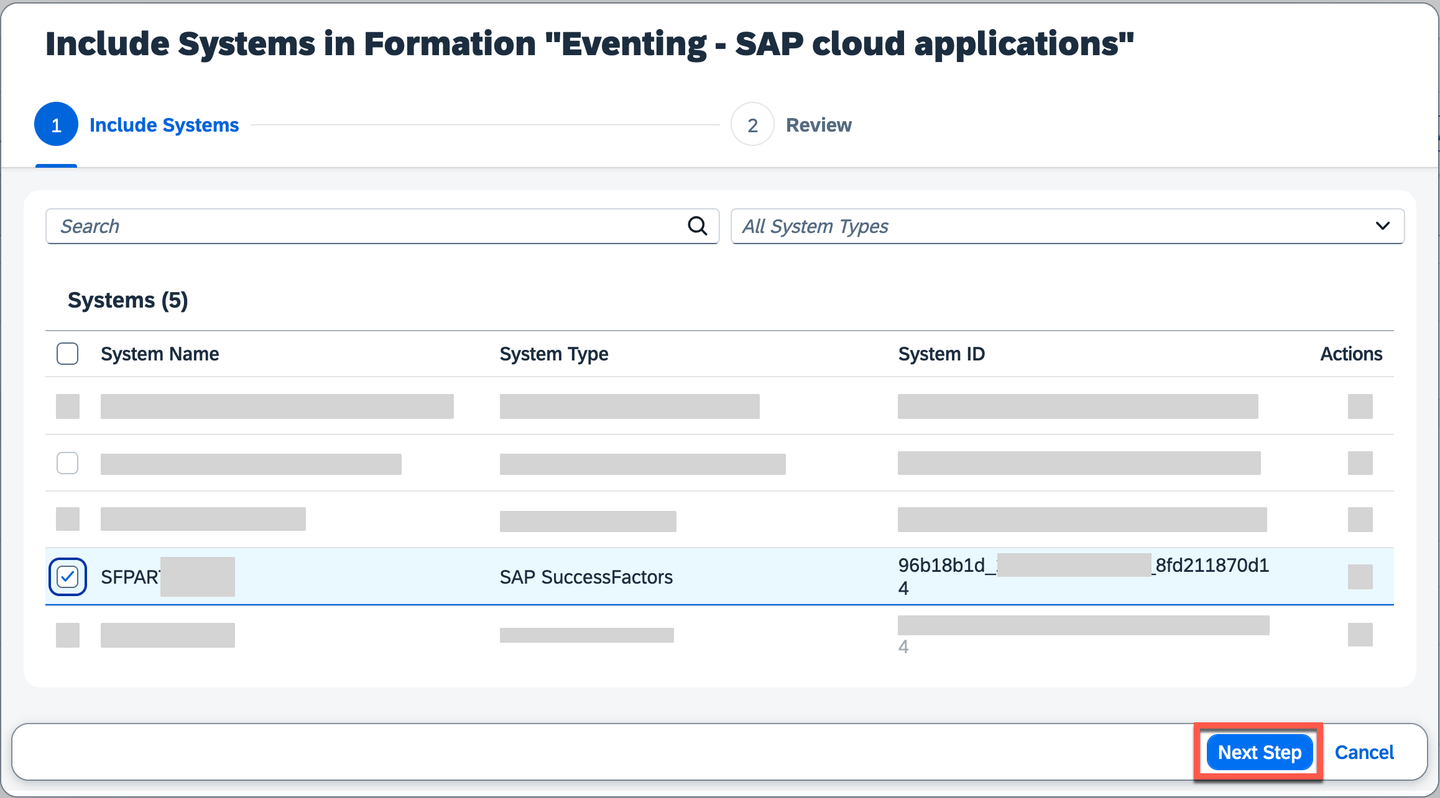
In the SAP BTP cockpit, navigate to the Formations section, choose the Include Systems button in the formation.

Include systems in formation In the pop-up, select the SAP SuccessFactors system you just registered. Then, choose the Next Steps button.
alt text
Once the formation finishes synchronizing, the SAP SuccessFactors system will be part of the formation. SAP Cloud Application Event Hub will take of the necessary communication between SAP SuccessFactors and itself. The SAP SuccessFactors system is now ready to start publishing events to SAP Cloud Application Event Hub.

For SAP SuccessFactors Employee Central events, we have to enable the following configurations:
- Complete the steps described in the Employee Central HRIS Events topic.
- Enable Integrating Employee Central Group Events with SAP Cloud Application Event Hub in Upgrade Center.
SAP SuccessFactors is adopting SAP Cloud Application Event Hub as the central platform for publishing events. Check out the SAP Help documentation to see the events published by SAP SuccessFactors Onboarding, SAP SuccessFactors Employee Central, and SAP SuccessFactors Recruiting to SAP Cloud Application Event Hub:
You can check out the following resources to learn more about the SAP SuccessFactors and SAP Cloud Application Event Hub integration:
Resources
Discussion
Share feedback on this tutorial or join the conversation in SAP Community.